區塊
區塊是 agent 寫下的資料,不是標記:它指出要顯示什麼,由宿主負責繪製,所以 agent 不必寫版面、樣式,或把答案送回去的腳本。區塊是第一個字為種類名稱的 fenced code block,或是 GitHub alert;fence 可以用反引號或波浪號。多數種類吃 YAML。文字欄位(body、hint、note、…)吃受限的行內 Markdown:粗體、斜體、程式碼、http(s) 連結與換行。任何地方都不接受原始 HTML。
所有種類一覽
| 種類 | 寫法 | 答案種類 |
|---|---|---|
alert |
> [!NOTE|TIP|IMPORTANT|WARNING|CAUTION] title 引用 |
|
mermaid |
Mermaid 原始碼 | |
diff |
unified diff | |
cards |
{title, tone, body} 的 YAML 清單 |
|
options |
{title, recommended, body, pros, cons} 的 YAML 清單 |
pick |
form |
YAML {title, submit, questions: [{name, label, type, hint, required, other, choices}]} |
form |
review |
YAML {title, submit, pick, columns, items: [{name, label, image, page, height, body}]} |
review |
mindmap |
縮排的 Markdown 清單;第一項是根 | |
suggest |
字串或 {label, text} 的 YAML 清單 |
suggest |
checklist |
YAML {title, submit, items: [string | {name, label, checked, note}]} |
checklist |
table |
YAML {columns, rows, sort, filter} |
|
steps |
YAML {items: [{title, status: done|doing|todo|blocked, when, body}]} |
|
stats |
{label, value, delta, tone, note} 的 YAML 清單 |
|
tree |
縮排的行(每層兩個空格,第一行是根):資料夾寫 name/,後面接 {tags} 與 # note |
四個範例頁面,每頁混合了多種區塊:
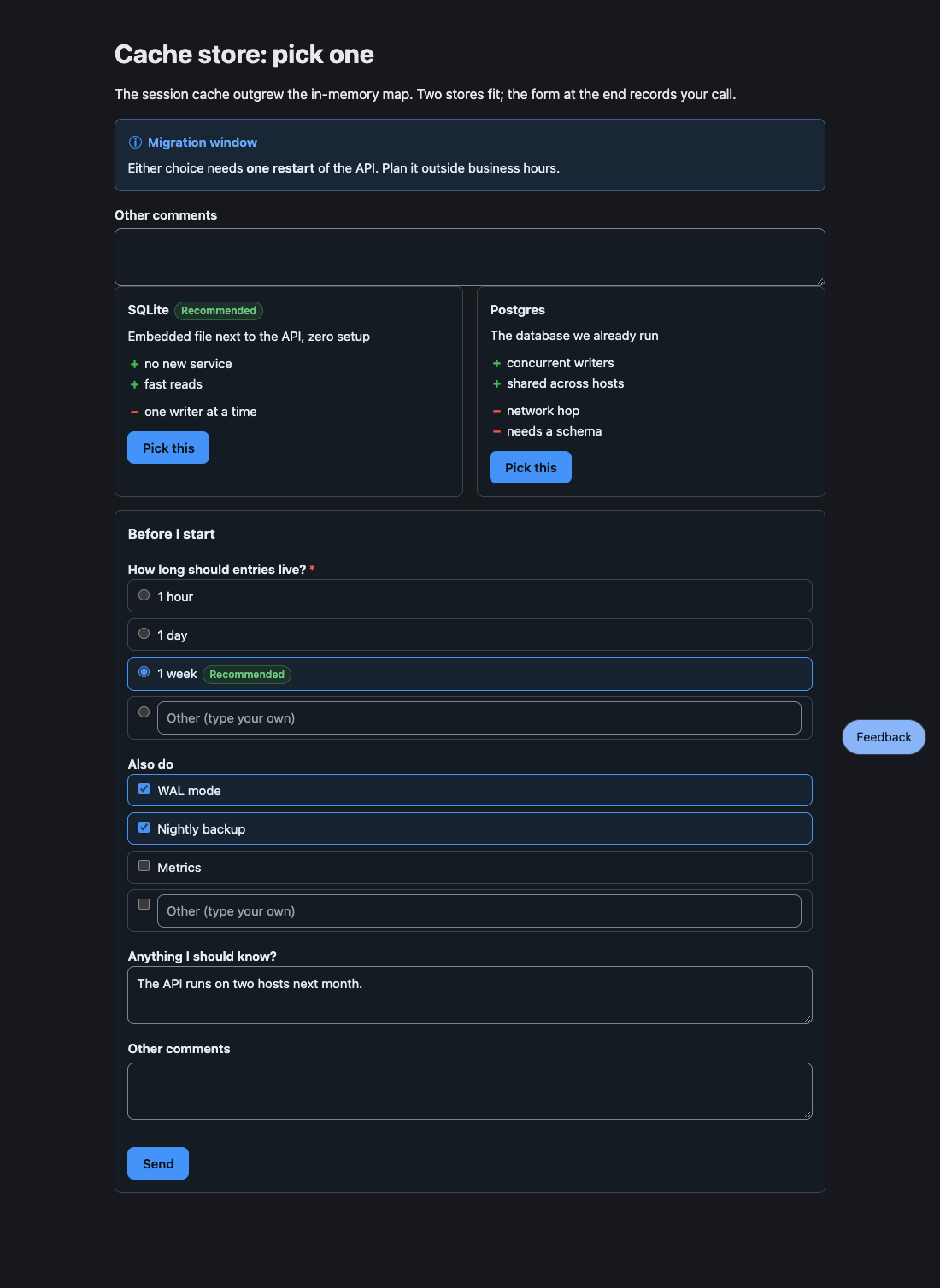
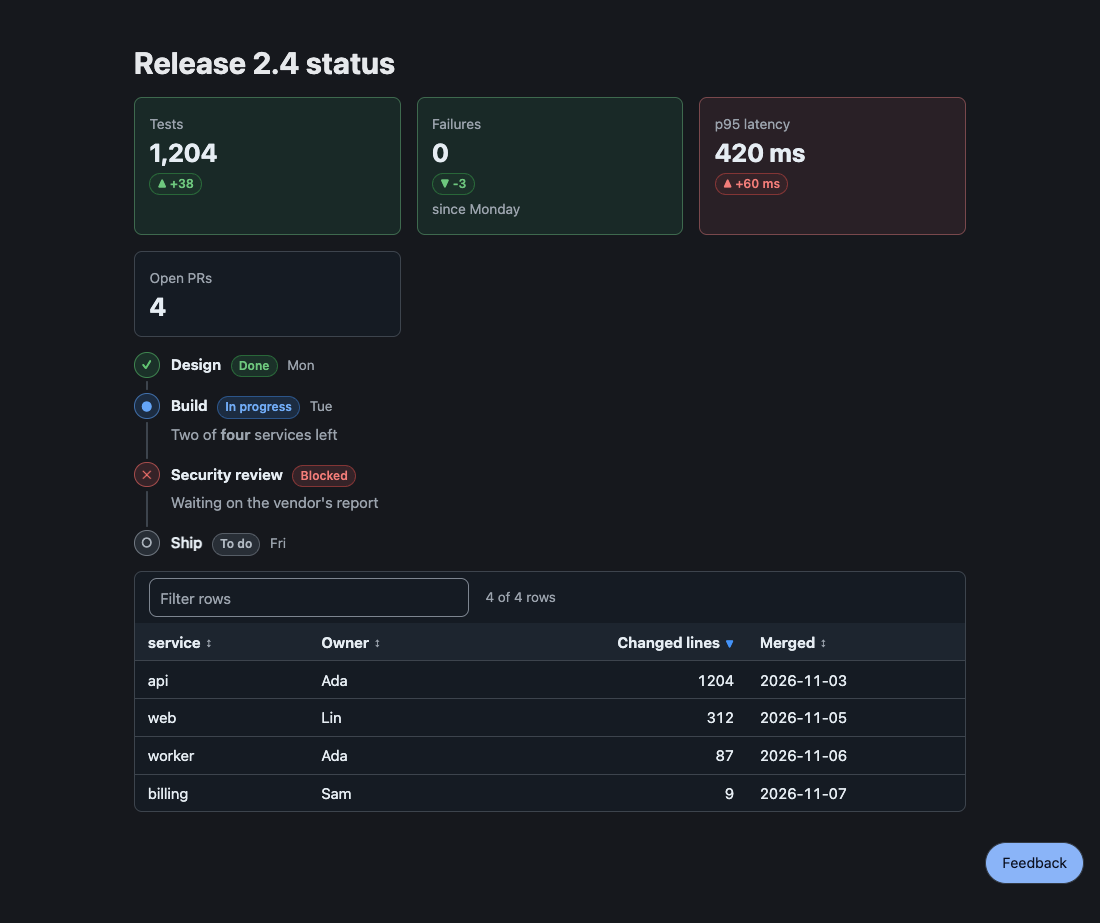
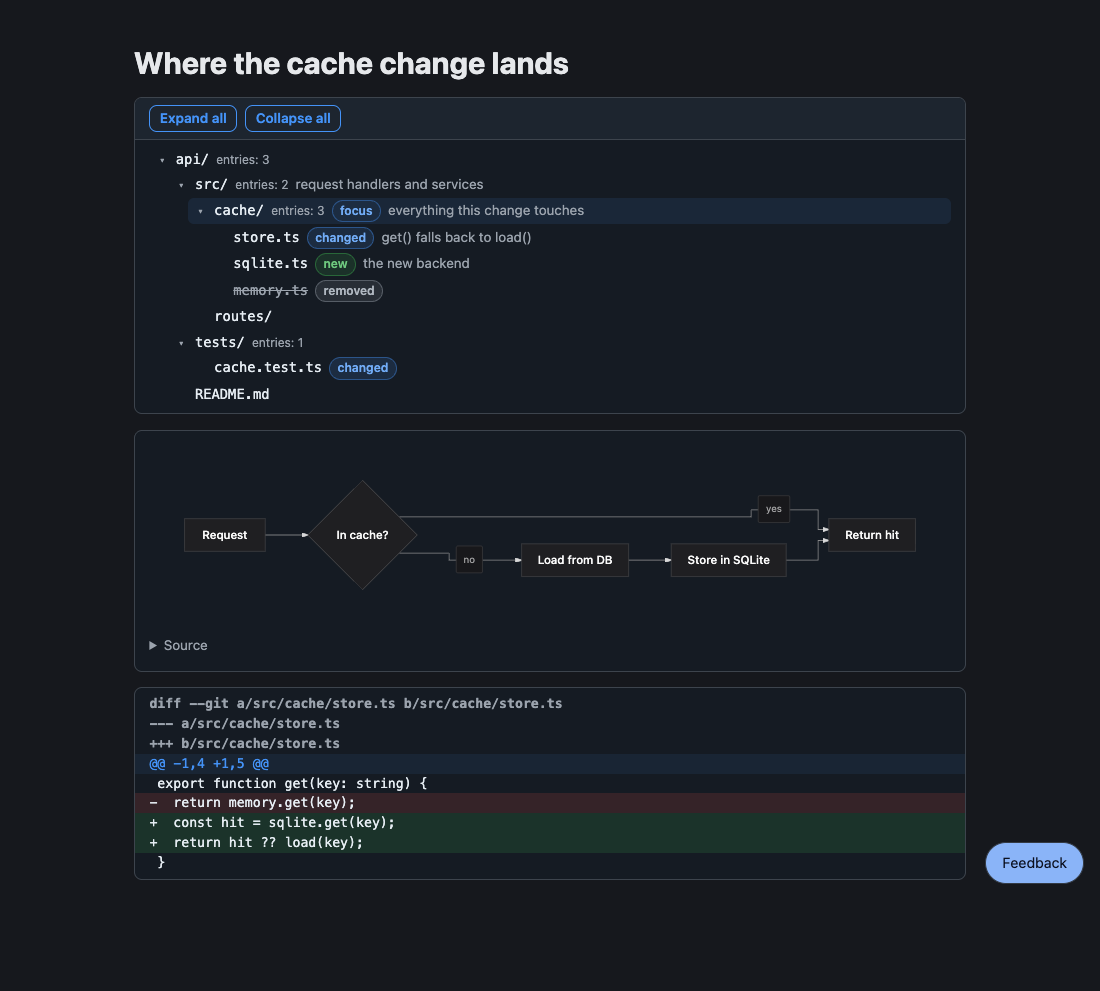
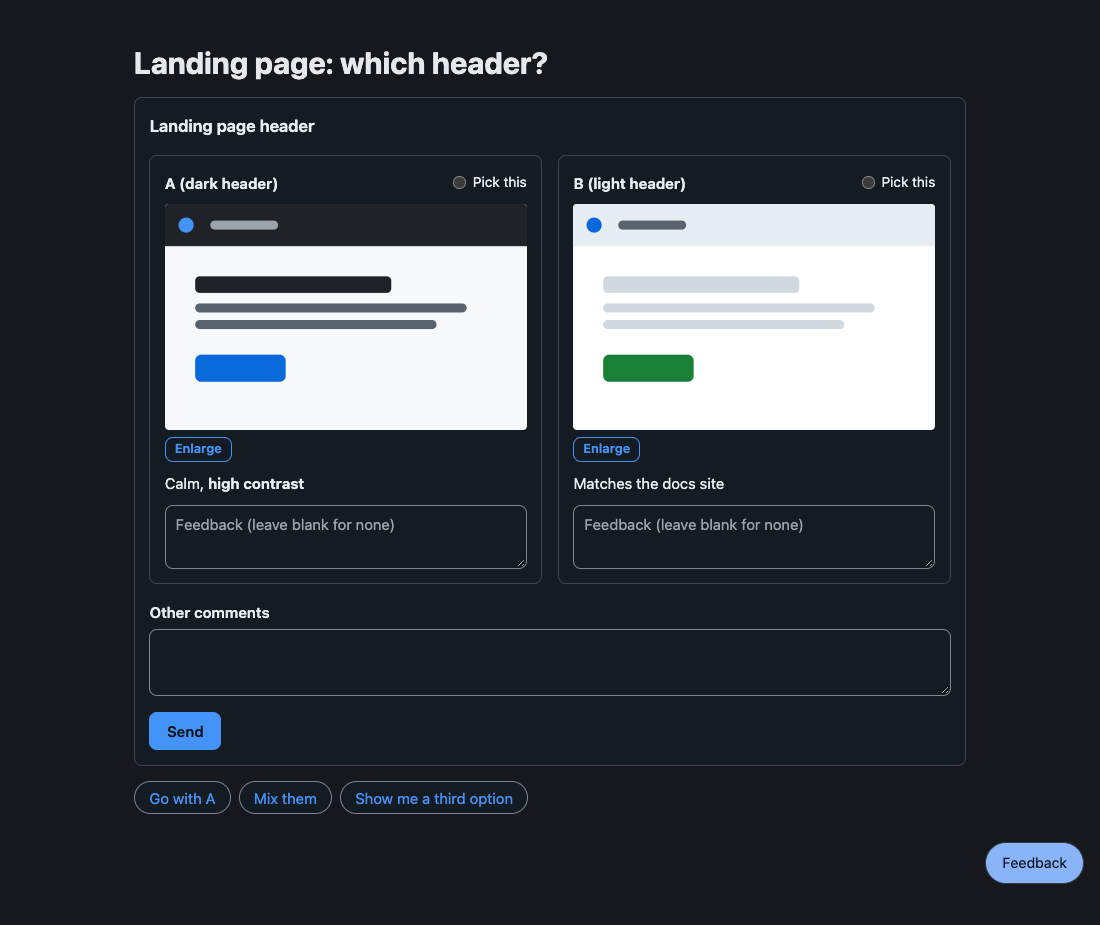
無法剖析的區塊會變成保留原始碼與原因的 invalid 片段;不會拋出錯誤,頁面會顯示原始碼與原因。
提醒讀者不可錯過的事:一個 GitHub alert,就像 README 裡那樣。
> [!WARNING] Heads up> This **overwrites** the cache, see [the runbook](https://example.com/runbook).種類有 NOTE、TIP、IMPORTANT、WARNING 與 CAUTION;標記後面的文字是標題,沒有的話標題就是種類的名稱。內文是跨多行的行內 Markdown。它不接受答案。

並排的簡短方塊,每個有一種語氣(note、ok、warn、risk),以色調、徽章與圖示呈現,不會用有顏色的邊。
```cards- {title: Speed, tone: ok, body: "**2x** faster than the old path"}- {title: Risk, tone: warn, body: "Needs a migration window"}```
它不接受答案。
Options
Section titled “Options”並排的選項,附優缺點;使用者挑一個,挑選就是答案。
```options- title: SQLite recommended: true body: Embedded, zero setup pros: [simple, fast] cons: [single writer]- title: Postgres body: A server to run pros: [concurrent writers] cons: [more to operate, needs backups]```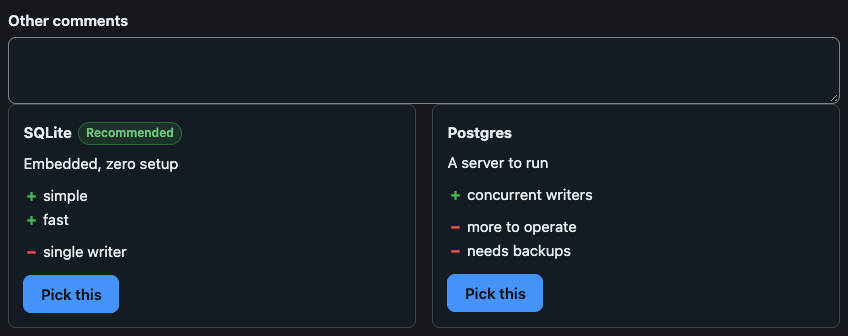
使用者一挑,agent 就收到(元素隨後自行鎖定):
User picked "SQLite".欄位與細節
title與body吃行內 Markdown;recommended是true(徽章寫「Recommended」)或你自己的標籤;pros與cons是字串清單。- 答案以選項的純文字標題稱呼它,沒有標題就用編號(第一個是 1)。
- 挑選會立刻送出,所以沒有 Send 按鈕。選項上方的「Other comments」欄位在挑選時一併讀取(見 Other comments)。
一次回答多個問題:單選、多選或自由文字。Send 會把所有答案放在同一則訊息送出。
```formtitle: Before I startsubmit: Sendquestions: - name: ttl label: How long should entries live? required: true choices: [1 hour, 1 day, {value: week, label: 1 week, recommended: true}] - name: extras label: Also do type: multi choices: [WAL mode, Nightly backup, Metrics] - name: note label: Anything I should know?```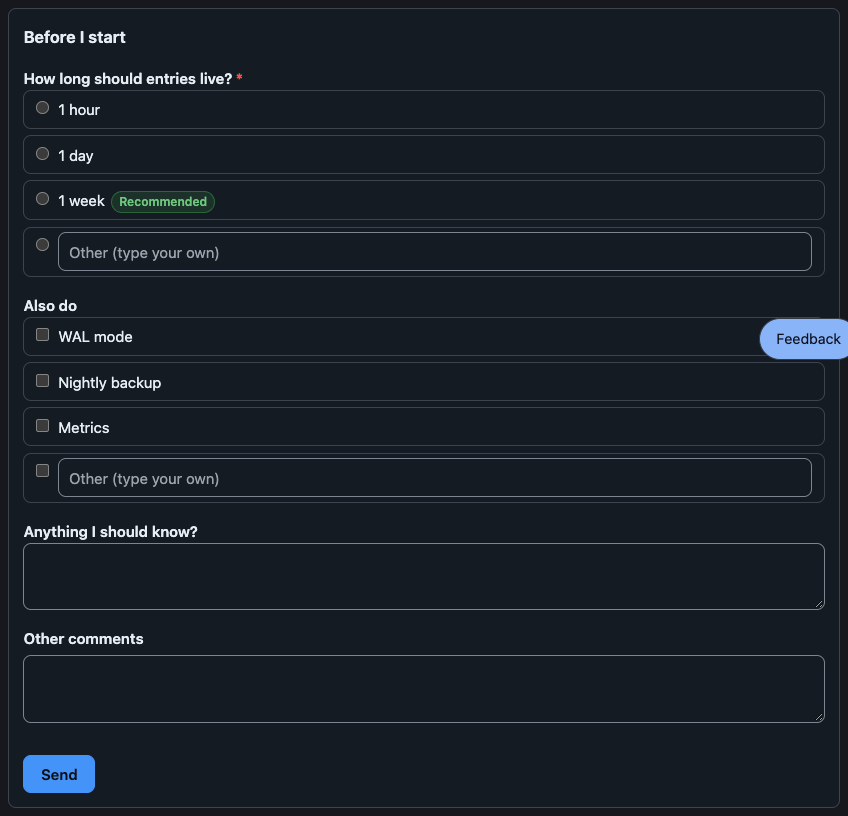
agent 收到:
User submitted a form in the HTML review pane:- ttl: week- extras: WAL mode, Nightly backup- note: The API runs on two hosts next month.欄位與細節
- 問題有
name(答案裡的鍵;預設為 label)、label、選填的hint與required。它的type是single(有choices時的預設)、multi或text(沒有choices時的預設)。 choices的一項是字串,或{value, label, note, recommended}。other加一個讓使用者自己作答的欄位:可以是欄位的標籤,或用false移除。選擇題預設以這樣的欄位結尾,除非寫other: false。- 必填的問題要答完才能 Send。留空的問題會以
(no answer)送出。 - 表單送出後仍可編輯,所以使用者可以再送一份修改過的答案。
Review
Section titled “Review”要比較的設計、截圖或原型:使用者對每一項留言,設了 pick 時還能挑出最喜歡的。
```reviewtitle: Landing pagepick: truecolumns: 2items: - {name: A, label: dark header, image: a.svg, body: "Calm, **high contrast**"} - {name: B, label: light header, image: b.svg}```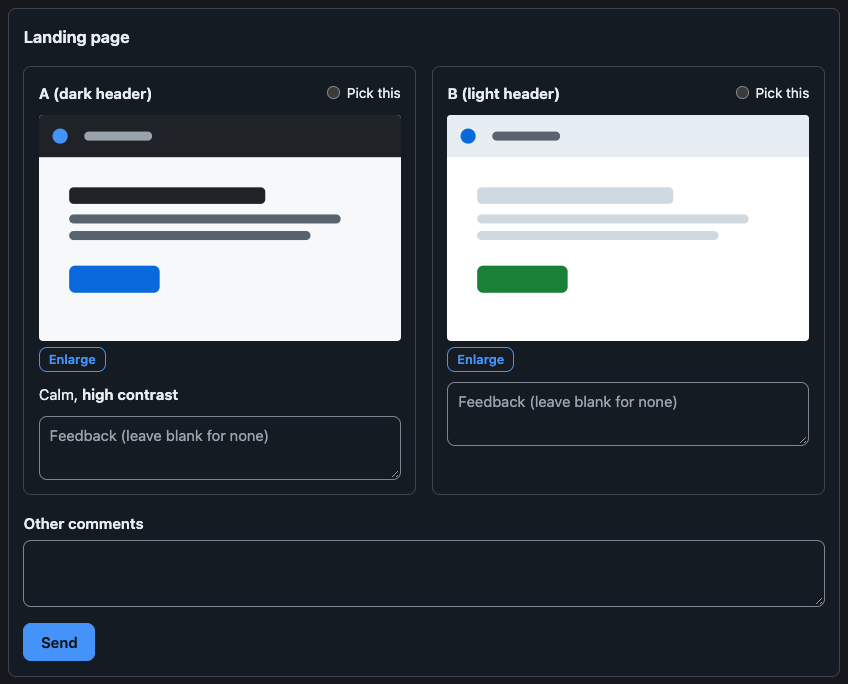
agent 收到挑選的項目、每個有留言的項目與留言,以及留白的項目:
User reviewed "Landing page":Picked: A (dark header)- A (dark header): The contrast is right.No feedback on: B (light header)欄位與細節
image是相對於 Markdown 檔的路徑(一個項目也可以只寫這個路徑);page是 HTML 原型的路徑,在高height像素的沙箱 frame 中顯示。兩者都不能離開頁面所在的目錄。- 項目依序叫 A、B、C…,除非
name另有指定;答案寫成name (label)。 pick: true讓每個項目有一個單選鈕(填字串則設定它的標籤);columns是 1 到 6。- 留言欄留白代表沒有意見,所以每個欄位都留白的 review 仍然是一份答案。
- 圖片可以在燈箱中放大。
Mindmap
Section titled “Mindmap”可收合的大綱:縮排的 Markdown 清單,第一項是根。
```mindmap- Release - Build - bundle - sign - Ship - tag```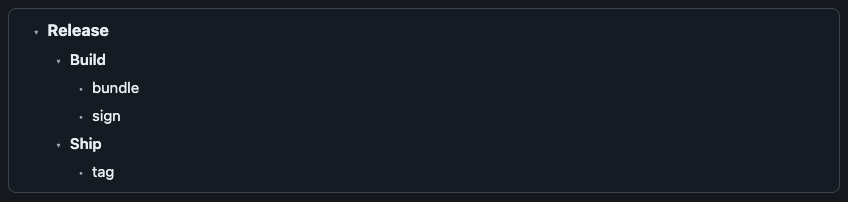
mindmap 只有一個根;其他最上層的項目要縮排到根底下。它不接受答案。方向鍵移動,右鍵與左鍵展開與收合,Enter 與空白鍵切換。
Suggest
Section titled “Suggest”快速回覆的 chip:點一下,就把它的文字當成使用者自己的訊息送出。
```suggest- Go ahead- {label: Not now, text: "Not now, ask me tomorrow"}```
agent 收到 chip 的文字本身:Not now, ask me tomorrow。字串形式的 chip,label 與 text 相同。
Checklist
Section titled “Checklist”要勾選的項目;勾與沒勾的項目會一起送回。
```checklisttitle: Before releaseitems: - {label: Run tests, checked: true} - {label: Bump version, note: semver}```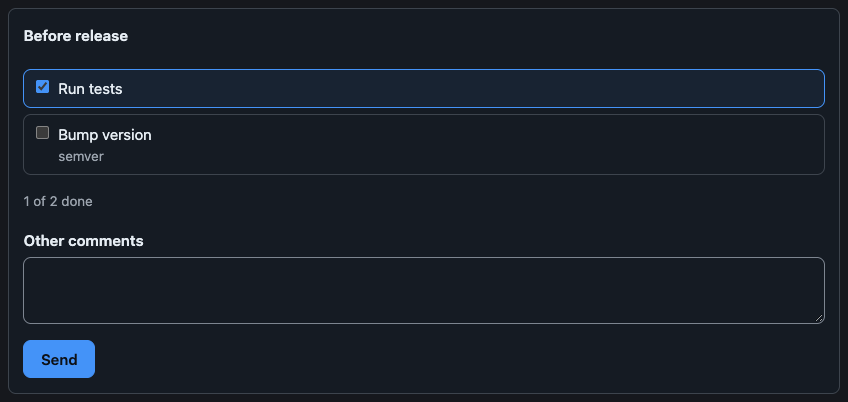
agent 收到:
User updated the checklist "Before release":☑ Run tests☐ Bump version項目是字串或 {name, label, checked, note};答案用 name 稱呼它,預設為它的 label。
可排序、可篩選的資料列。
```tablecolumns: - name - {name: size, label: Size, type: number} - {name: day, label: Shipped, type: date}rows: - [alpha, 1204, 2026-03-01] - [beta, 2, 2026-01-15]sort: -sizefilter: true```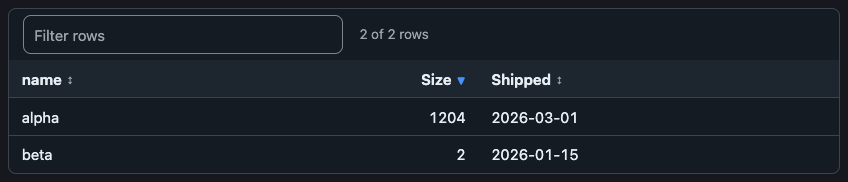
它不接受答案。欄位是名稱或 {name, label, align, type: text|number|date};一列是依欄位順序的清單,或以欄位名稱為鍵的 map。sort 指定一欄,前面加 - 表示遞減;filter: true 加上搜尋欄。
每個步驟附狀態的時間軸。
```stepsitems: - {title: Design, status: done, when: Mon} - {title: Build, status: doing, when: Tue, body: "Two of **four** services left"} - {title: Legal review, status: blocked, body: Waiting on the vendor} - {title: Ship, status: todo}```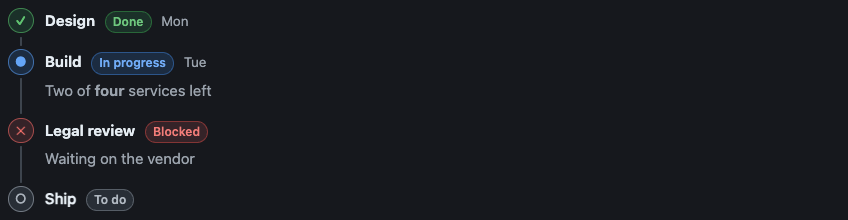
它不接受答案。status 是 done、doing、todo 或 blocked。
帶有選填變化量與語氣的指標方塊。
```stats- {label: Users, value: "1,204", delta: "+4%", tone: ok}- {label: Latency p95, value: 420 ms, delta: "+60 ms", tone: risk}```
它不接受答案。
上色的 unified diff。
```diff@@ -1,4 +1,5 @@ export function get(key: string) {- return store.get(key);+ const hit = store.get(key);+ return hit ?? load(key); }```
它不接受答案。
Mermaid
Section titled “Mermaid”一張圖,在伺服器上依頁面的配色畫出。流程圖與狀態圖可以逐個節點留言(見 Markdown 頁面)。
```mermaidgraph TD A[Start] --> B{Ok?} B -->|yes| C[Done] B -->|no| D[Fix]```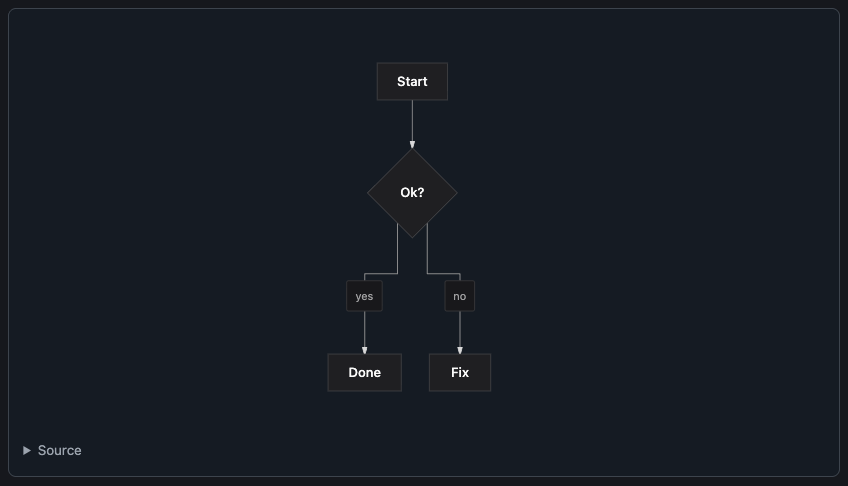
它本身不接受答案。流程圖、狀態圖、sequence、class、ER 與 xychart 都能畫;流程與概念圖請用流程圖。
給結構審查用的目錄樹,資料夾可以收合與展開:
pi-better-show/ src/ # one package, four entries core/ {focus} # parser and text, no DOM parse.ts validate.ts {new} # checks answers elements/ # web components tests/ README.md {changed}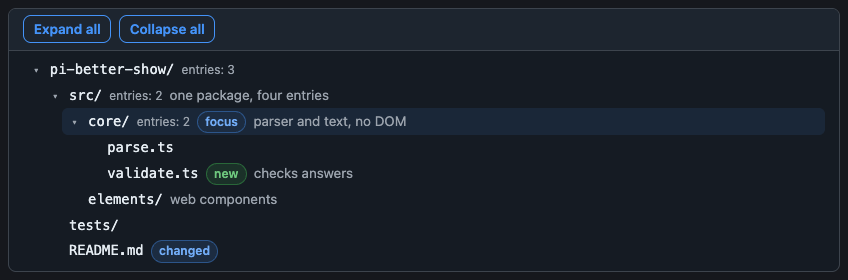
資料夾的名稱以 / 結尾;標籤有 new、changed、removed、focus、risk(不認得的標籤會讓區塊無效);# 後面的備註吃行內 Markdown;… N more 這一行代表被上限截掉的項目。它不接受答案。
上限與備援
樹最多 2,000 個節點、32 層(根是第 1 層)。區塊帶著一份快照,所以每個宿主都能畫;toText 以 tree 風格(├──、└──,標籤寫成 [new],備註接在 — 後面)寫出,在 Discord 上放進 fence。
pbs-tree
Section titled “pbs-tree”pbs-tree 為一個資料夾印出 tree fence:npx pbs-tree [dir] 或 bunx pbs-tree [dir](只用 node 內建模組的純 JavaScript;node 與 bun 都能跑)。輸出依名稱的位元組順序排序,所以快照可重現;不會跟隨 symlink。旗標在有對應時沿用 Linux 的 tree:
| 旗標 | 意義 |
|---|---|
-L n |
深度 |
-d |
只列資料夾 |
-a |
包含點開頭的檔案(預設略過;.git 一律略過) |
-I pattern |
略過符合 glob(* ? [..])的名稱;| 分隔多個;可重複 |
-P pattern |
只列符合的檔案;資料夾含有符合項目就保留(即使低於 -L 的深度);搭配 -d 時忽略 |
--gitignore |
遵守 .gitignore 檔,包括該資料夾與往上到儲存庫頂層的各層資料夾的 |
--dirsfirst |
資料夾排在檔案前面 |
--filelimit n |
不展開含有超過 n 個項目的資料夾;在原處寫 … N more |
--prune |
去掉空的資料夾(被 -L 隱藏的仍然算數);搭配 -d 時忽略 |
--changed-since <rev> |
依工作樹對 git diff --name-status <rev> 的結果標 new、changed、removed;已移除的檔案雖不存在仍會列出,未追蹤的檔案是 new,改名視為一個移除加一個新增 |
上限與結束碼
超過區塊上限的樹會被拒絕(結束碼 1)並附上節點數;請用 -L、-I、--gitignore 縮小。會被讀成備註或標籤的名稱會加上不換行空白,名稱裡的換行會變成 ?。結束碼:0;1 表示失敗(不是資料夾、git 失敗、太大);2 表示旗標有誤。
Other comments
Section titled “Other comments”每個可送出的元素(pbs-form、pbs-review、pbs-checklist、pbs-options)在送出鈕上方都有一個固定的「Other comments」欄位(pbs-options 則在選項上方;欄位在挑選選項時一併讀取)。去除前後空白的文字會放進同一份答案的保留欄位 pi-note(NOTE_FIELD),只出現一次,欄位留白就什麼都不送;agent 讀到的是最後一行 Other comments: …。
給宿主
validateAnswer 對每一種互動種類都接受 pi-note;表單問題或 checklist 項目不能取名 pi-note。顯示這些元素的宿主不必另外做什麼:欄位就在 answer.fields 裡,所以 validateAnswer 與 encodeAnswer 本來就會放行。從選出的欄位重建答案的宿主必須轉送 pi-note;把 answered 設成已送出的欄位,鎖定後的元素才會顯示它。文字是 configure({strings}) 裡的 otherComments。
Several values
Section titled “Several values”收集多個值的區塊(含 multi 問題的 form、checklist、review)在勾選、挑選或輸入時不會送出任何東西:選擇在使用者按下 Send 之前都可以更改,必填的 multi 問題一個都沒選,會在該題被拒絕。只有 options 與 suggest 在點擊時就送出。