Quick start
- Ask the agent to show you something. “Lay out the two cache options and let me pick” is enough. The agent writes a Markdown file with blocks and calls
show_doc; the call returns at once, so the agent is not waiting on you. - Read the page.
view: "page"opens it in your default browser: prose, an alert, options side by side, a form. - Answer by clicking. Pick an option, fill the form, press Send. Select a passage to comment on it, and the feedback panel collects your comments with an overall note.
- The agent reads your answer as a message. It steers into a running turn, or starts a turn when the agent is idle.
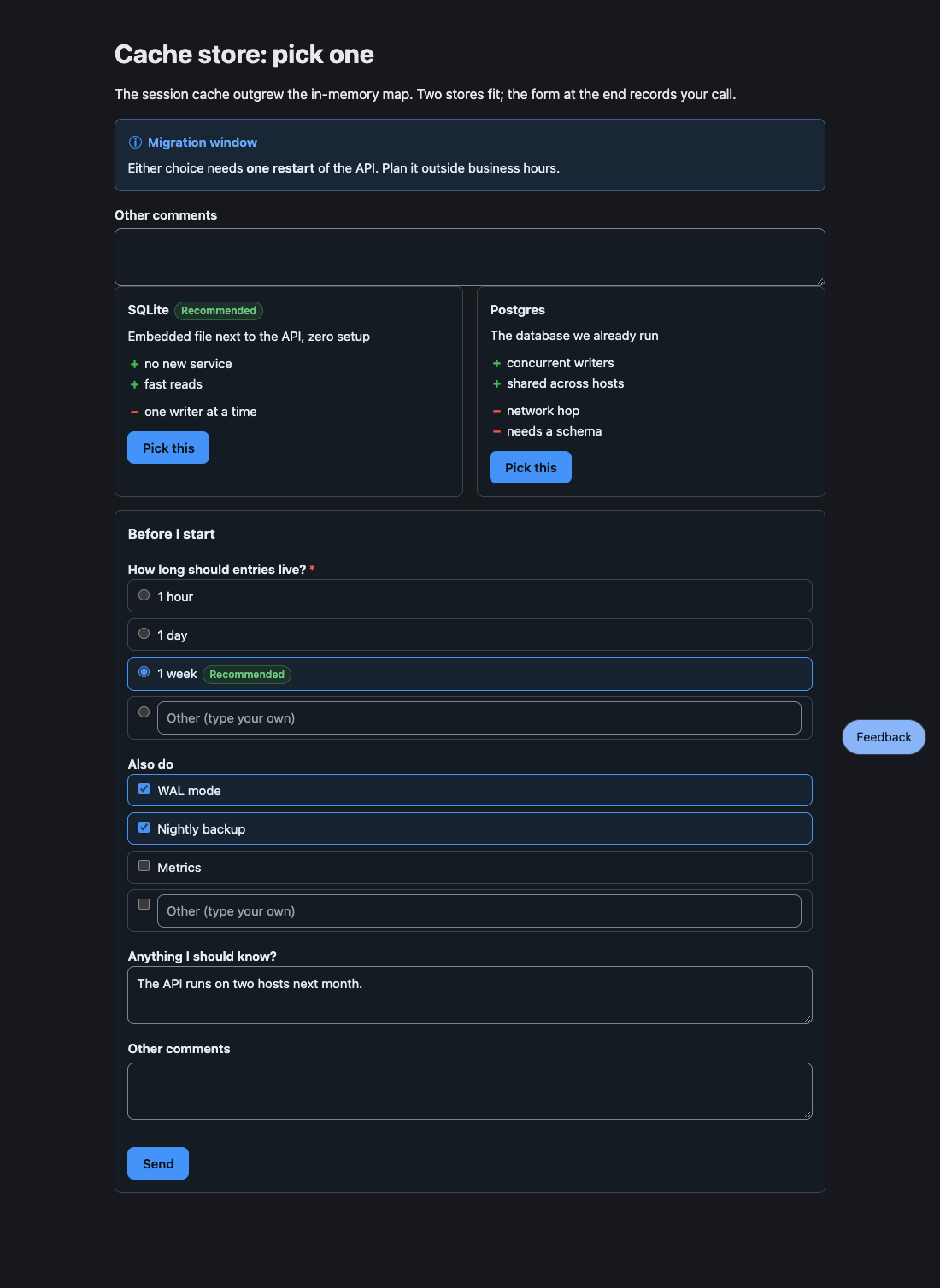
When you press Send on the form above, the agent receives:
User submitted a form in the HTML review pane:- ttl: week- extras: WAL mode, Nightly backup- note: The API runs on two hosts next month.Page or edit
Section titled “Page or edit”show_doc has two views. Use the page to decide and the editor to write.
| View | Opens | Use it for | Your answer |
|---|---|---|---|
page |
Your default browser | Reading and deciding: blocks, diagrams, designs to compare | Clicks, forms, and comments, each sent as a message |
edit (the default) |
Your editor | Specs and drafts you want to change in place | Your saves, as one net diff per file |
Open pages reload when the agent edits the file. Close the last tab and the page server stops after 30 seconds; the next show_doc starts it again.
What you may see
- A notice that your edits go to the agent with your next message: in
editview the agent reads your saves when your next run starts, or after you stop saving for 3 seconds while it works. - A line in the agent’s
writeoreditresult such asBlock problems in questions.md:with a line number: a block did not parse, and the page shows its source and the reason until it is fixed. - A
Mini SDDspec (docs/specs/<slug>/spec.mdwithStatus: proposed) opening on its own.PI_BETTER_SHOW_AUTO_OPEN=offstops that.
- Concepts: blocks, answers, and the text fallback.
- Feedback: commenting on text and on diagrams.
- Block reference: every block kind.