Blocks
A block is data the agent writes instead of markup: it names what to show, and the host draws it, so the agent never writes layout, styles, or the script that sends an answer back.
A block is a fenced code block whose first word is the kind, or a GitHub alert; the fence may use backticks or tildes. Most kinds take YAML. Text fields (body, hint, note, …) take restricted inline Markdown: bold, italic, code, http(s) links, line breaks. No raw HTML anywhere.
Every kind at a glance
| Kind | Written as | Answer kind |
|---|---|---|
alert |
> [!NOTE|TIP|IMPORTANT|WARNING|CAUTION] title quote |
|
mermaid |
Mermaid source | |
diff |
unified diff | |
cards |
YAML list of {title, tone, body} |
|
options |
YAML list of {title, recommended, body, pros, cons} |
pick |
form |
YAML {title, submit, questions: [{name, label, type, hint, required, other, choices}]} |
form |
review |
YAML {title, submit, pick, columns, items: [{name, label, image, page, height, body}]} |
review |
mindmap |
indented Markdown list; the first item is the root | |
suggest |
YAML list of strings or {label, text} |
suggest |
checklist |
YAML {title, submit, items: [string | {name, label, checked, note}]} |
checklist |
table |
YAML {columns, rows, sort, filter} |
|
steps |
YAML {items: [{title, status: done|doing|todo|blocked, when, body}]} |
|
stats |
YAML list of {label, value, delta, tone, note} |
|
tree |
indented lines (two spaces per level, first line the root): name/ for a folder, then {tags} and # note |
Four example pages, each mixing kinds:
A block that does not parse becomes an invalid segment that keeps its source and the reason; nothing throws, and the page shows the source with the reason.
A callout for what the reader must not miss: a GitHub alert, as in a README.
> [!WARNING] Heads up> This **overwrites** the cache, see [the runbook](https://example.com/runbook).The kinds are NOTE, TIP, IMPORTANT, WARNING, and CAUTION; the text after the marker is the title, and without it the title is the kind’s name. The body is inline Markdown over several lines. It takes no answer.

Short tiles side by side, each with a tone (note, ok, warn, risk) that shows as a tint, a badge, and an icon, never as a coloured edge.
```cards- {title: Speed, tone: ok, body: "**2x** faster than the old path"}- {title: Risk, tone: warn, body: "Needs a migration window"}```
It takes no answer.
Options
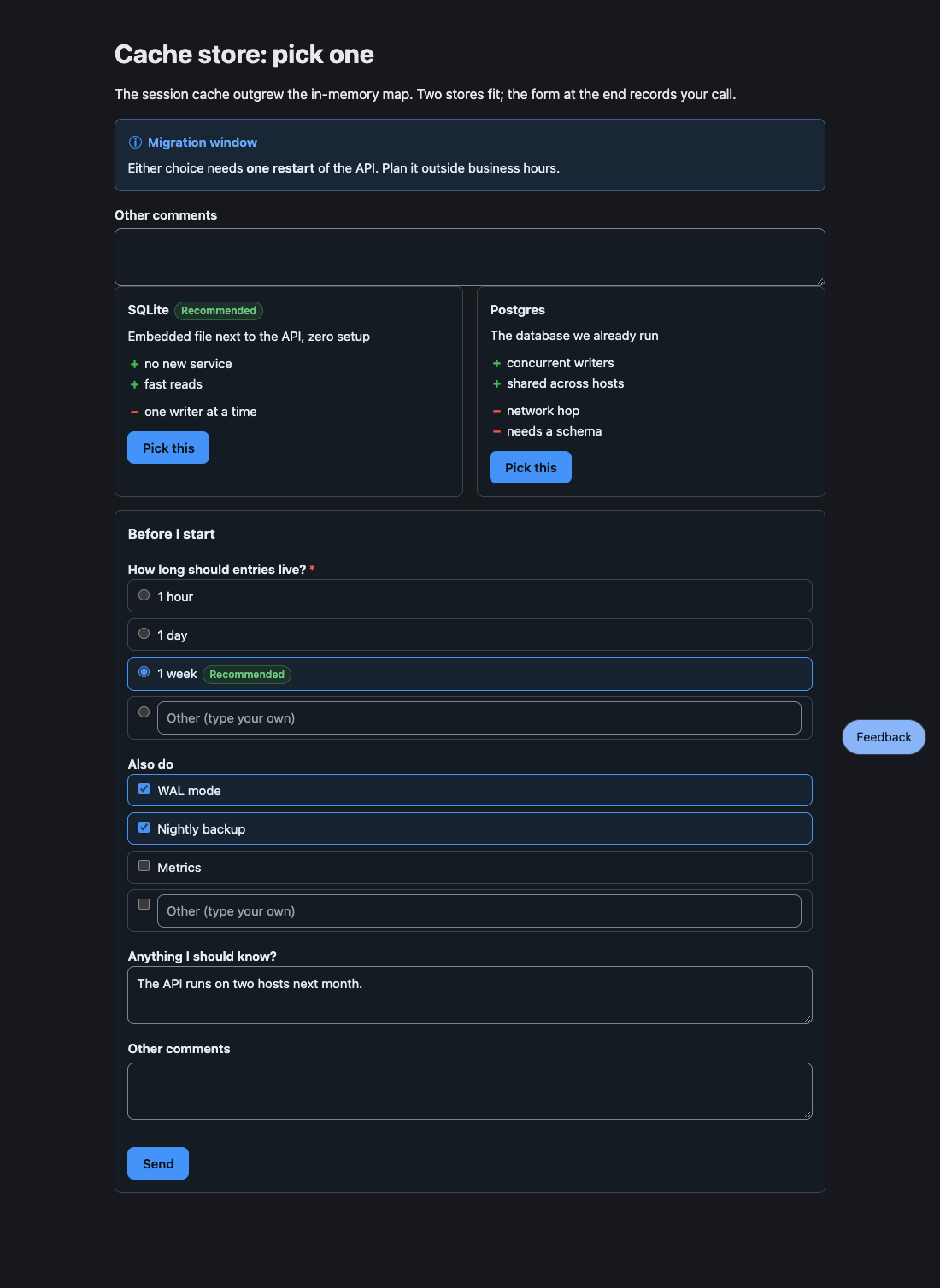
Section titled “Options”Choices side by side with pros and cons; the reader picks one, and the pick is the answer.
```options- title: SQLite recommended: true body: Embedded, zero setup pros: [simple, fast] cons: [single writer]- title: Postgres body: A server to run pros: [concurrent writers] cons: [more to operate, needs backups]```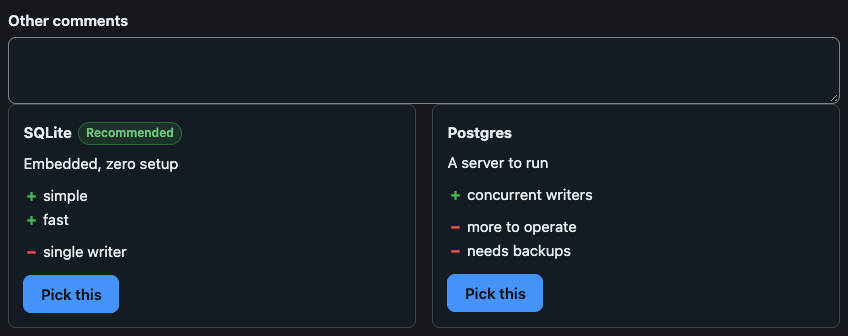
The agent receives, as soon as the reader picks (the element then locks itself):
User picked "SQLite".Fields and details
titleandbodytake inline Markdown;recommendedistrue(the badge reads “Recommended”) or a label of your own;prosandconsare lists of strings.- The answer names the option by its plain title, else by its number (1 for the first).
- A pick sends at once, so there is no Send button. The “Other comments” box above the options is read when the option is picked (see Other comments).
Several questions answered in one go: single choice, multiple choice, or free text. Send delivers every answer in one message.
```formtitle: Before I startsubmit: Sendquestions: - name: ttl label: How long should entries live? required: true choices: [1 hour, 1 day, {value: week, label: 1 week, recommended: true}] - name: extras label: Also do type: multi choices: [WAL mode, Nightly backup, Metrics] - name: note label: Anything I should know?```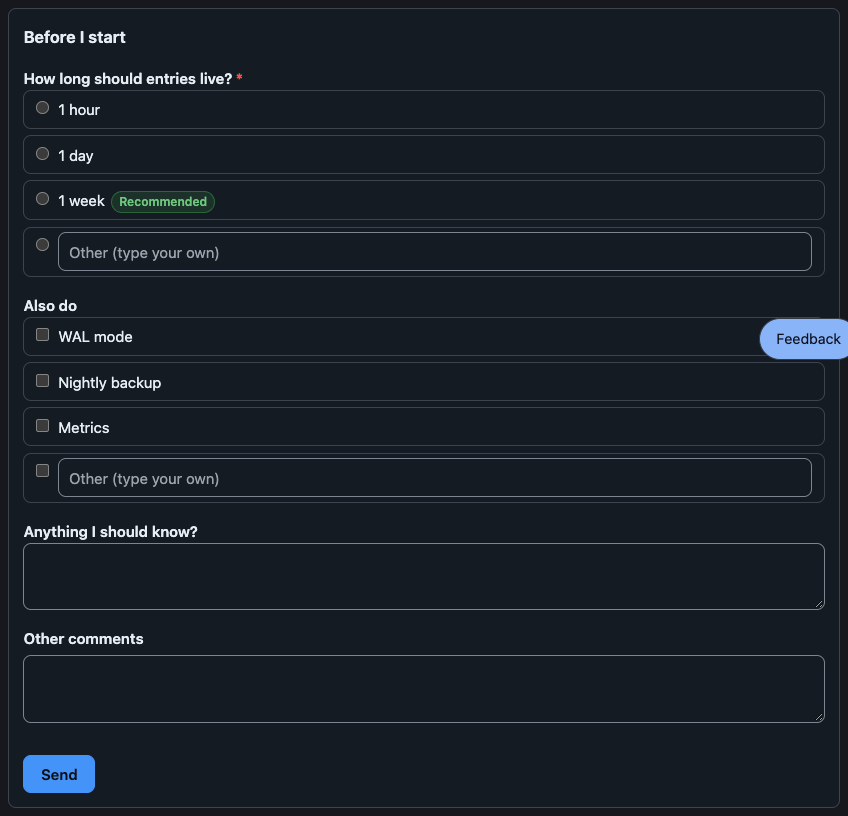
The agent receives:
User submitted a form in the HTML review pane:- ttl: week- extras: WAL mode, Nightly backup- note: The API runs on two hosts next month.Fields and details
- A question has a
name(the key in the answer; it defaults to the label), alabel, an optionalhint, andrequired. Itstypeissingle(the default when it haschoices),multi, ortext(the default withoutchoices). - A
choicesentry is a string, or{value, label, note, recommended}. otheradds a box for an answer of the reader’s own: a label for the box, orfalseto remove it. A choice question ends with such a box unlessother: false.- A required question must be answered before Send. A question left empty is sent as
(no answer). - The form stays editable after sending, so the reader can send a changed answer.
Review
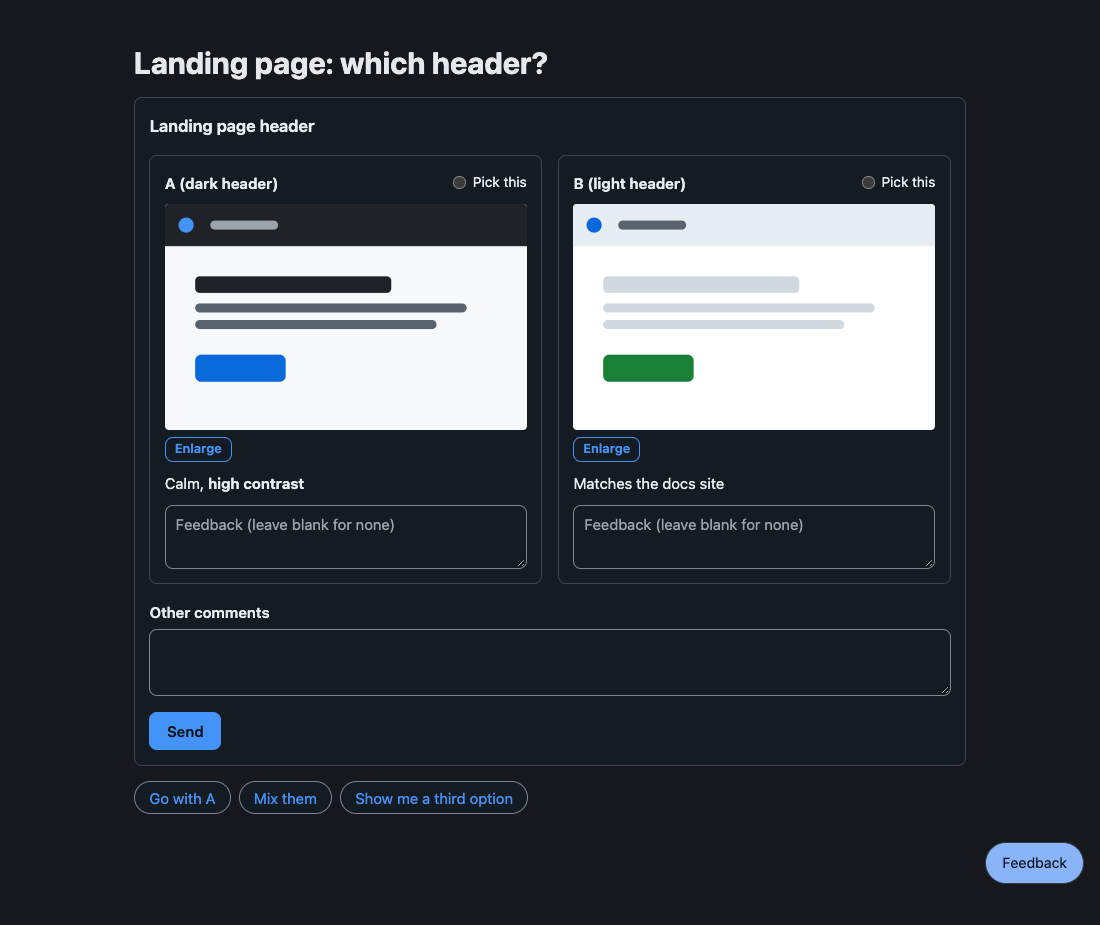
Section titled “Review”Designs, screenshots, or prototypes to compare: the reader comments on each item and, when pick is set, picks a favourite.
```reviewtitle: Landing pagepick: truecolumns: 2items: - {name: A, label: dark header, image: a.svg, body: "Calm, **high contrast**"} - {name: B, label: light header, image: b.svg}```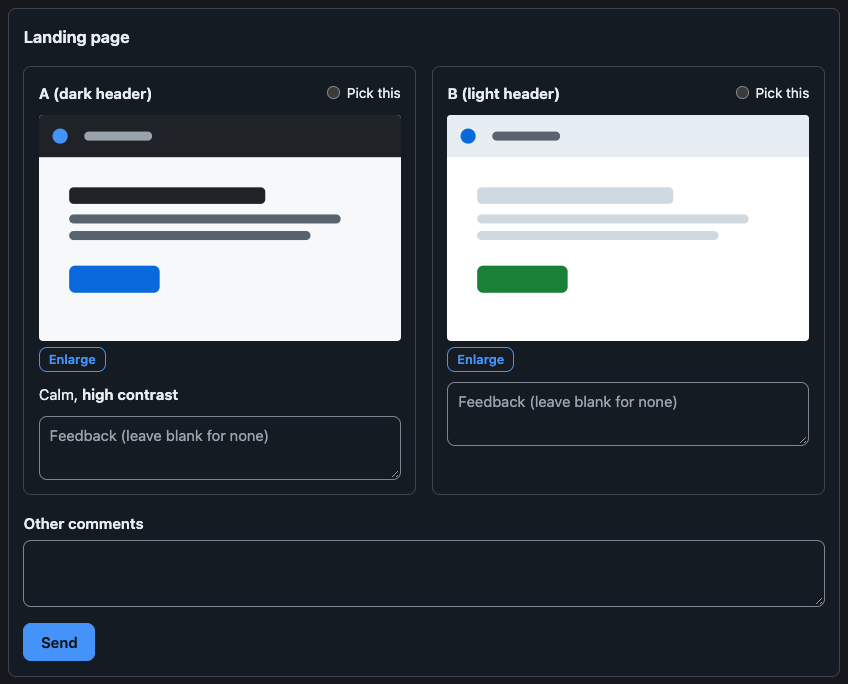
The agent receives the picked item, each commented item with its comment, and the items left blank:
User reviewed "Landing page":Picked: A (dark header)- A (dark header): The contrast is right.No feedback on: B (light header)Fields and details
imageis a path relative to the Markdown file (an item may be just that path);pageis the path of an HTML prototype, shown in a sandboxed frame ofheightpixels. Neither may leave the page’s directory.- Items are named A, B, C… unless
namesays otherwise; the answer writesname (label). pick: trueshows a radio per item (a string sets its label);columnsis 1 to 6.- A blank comment box means no feedback, so a review with every box blank is still an answer.
- A picture opens enlarged in a lightbox.
Mindmap
Section titled “Mindmap”A collapsible outline: an indented Markdown list whose first item is the root.
```mindmap- Release - Build - bundle - sign - Ship - tag```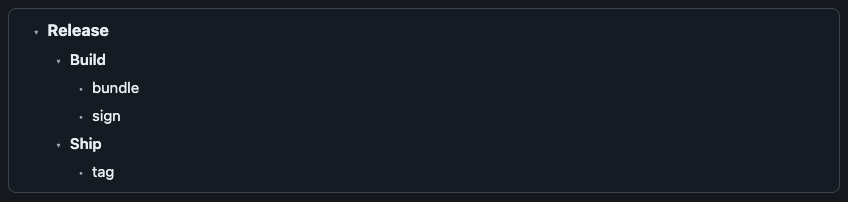
A mindmap has one root; indent the other top-level items under it. It takes no answer. Arrow keys move, Right and Left open and close, Enter and Space toggle.
Suggest
Section titled “Suggest”Quick-reply chips: clicking one sends its text as the reader’s own message.
```suggest- Go ahead- {label: Not now, text: "Not now, ask me tomorrow"}```
The agent receives the chip’s text itself: Not now, ask me tomorrow. A string chip’s label and text are the same.
Checklist
Section titled “Checklist”Items to tick; the ticked and unticked items come back together.
```checklisttitle: Before releaseitems: - {label: Run tests, checked: true} - {label: Bump version, note: semver}```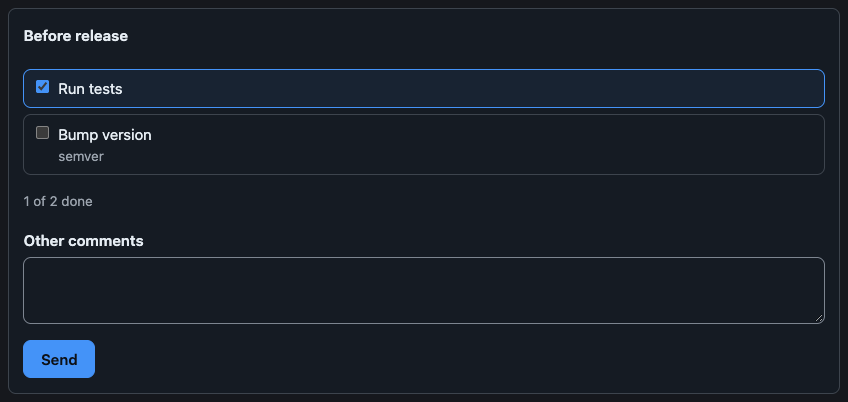
The agent receives:
User updated the checklist "Before release":☑ Run tests☐ Bump versionAn item is a string or {name, label, checked, note}; the answer names it by name, which defaults to its label.
Sortable, filterable rows.
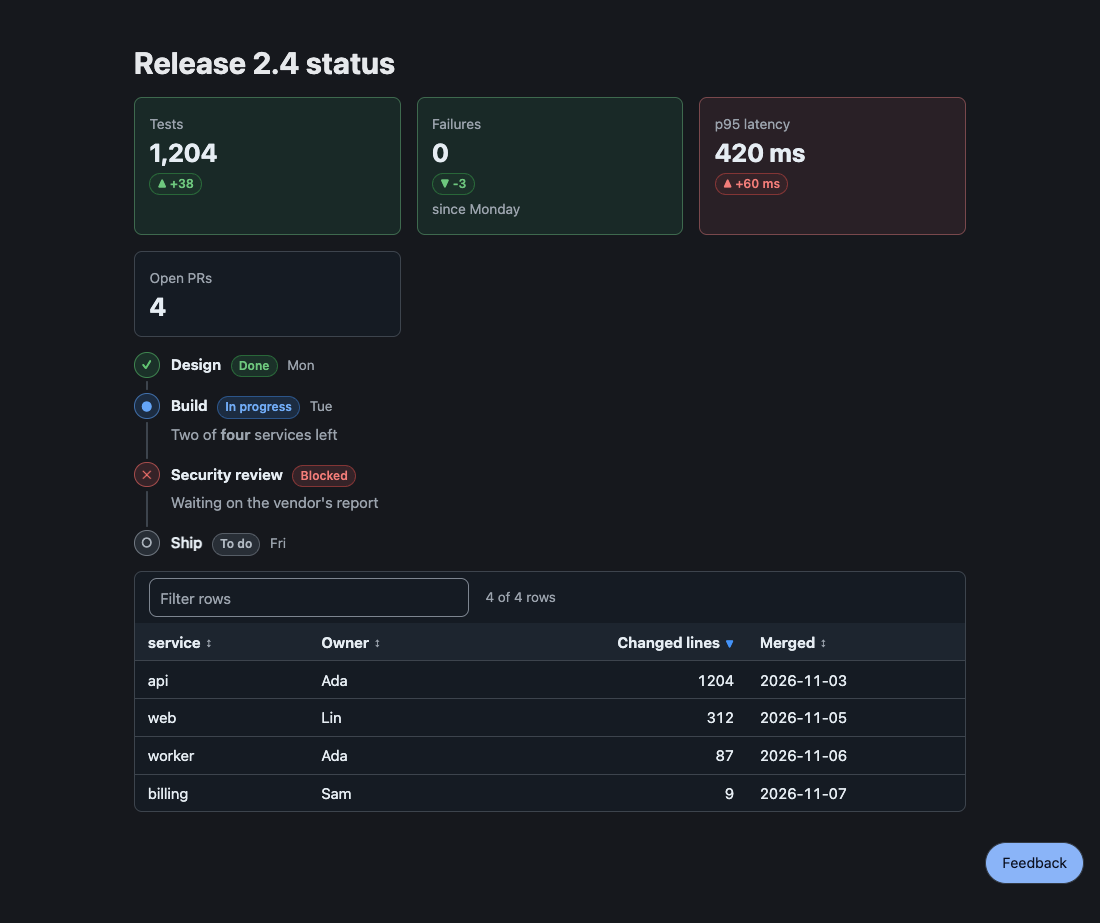
```tablecolumns: - name - {name: size, label: Size, type: number} - {name: day, label: Shipped, type: date}rows: - [alpha, 1204, 2026-03-01] - [beta, 2, 2026-01-15]sort: -sizefilter: true```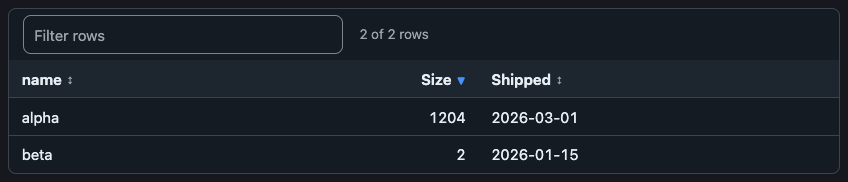
It takes no answer. A column is a name or {name, label, align, type: text|number|date}; a row is a list in column order or a map by column name. sort names a column, with a leading - for descending; filter: true adds a search box.
A timeline with a status per step.
```stepsitems: - {title: Design, status: done, when: Mon} - {title: Build, status: doing, when: Tue, body: "Two of **four** services left"} - {title: Legal review, status: blocked, body: Waiting on the vendor} - {title: Ship, status: todo}```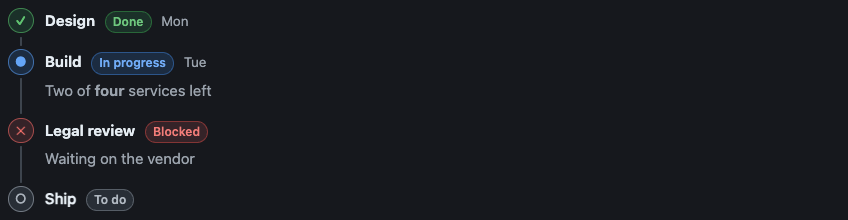
It takes no answer. status is done, doing, todo, or blocked.
Metric tiles with an optional change and tone.
```stats- {label: Users, value: "1,204", delta: "+4%", tone: ok}- {label: Latency p95, value: 420 ms, delta: "+60 ms", tone: risk}```
It takes no answer.
A coloured unified diff.
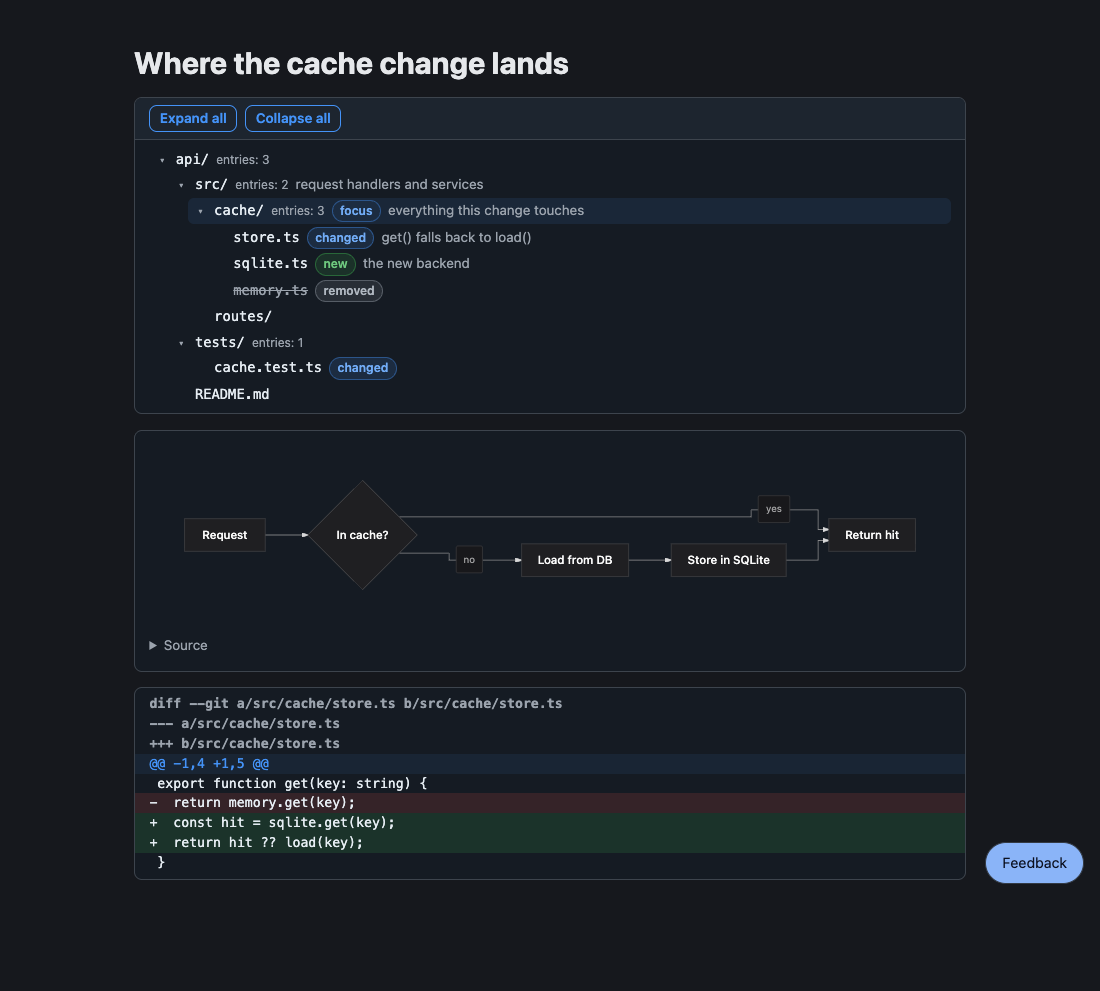
```diff@@ -1,4 +1,5 @@ export function get(key: string) {- return store.get(key);+ const hit = store.get(key);+ return hit ?? load(key); }```
It takes no answer.
Mermaid
Section titled “Mermaid”A diagram, drawn on the server in the page’s colour scheme. Flowcharts and state diagrams can be commented on node by node (see Markdown pages).
```mermaidgraph TD A[Start] --> B{Ok?} B -->|yes| C[Done] B -->|no| D[Fix]```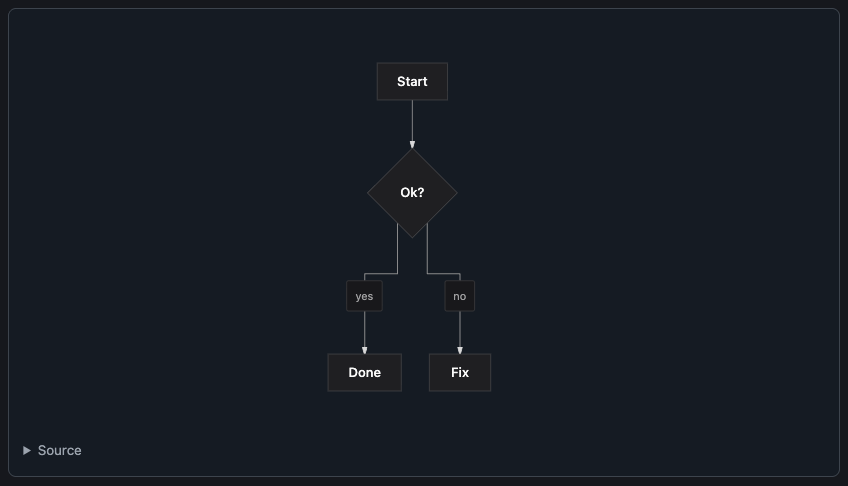
It takes no answer of its own. Flowchart, state, sequence, class, ER, and xychart diagrams draw; use a flowchart for flows and concept maps.
A directory tree for structure reviews, with folders that collapse and expand:
pi-better-show/ src/ # one package, four entries core/ {focus} # parser and text, no DOM parse.ts validate.ts {new} # checks answers elements/ # web components tests/ README.md {changed}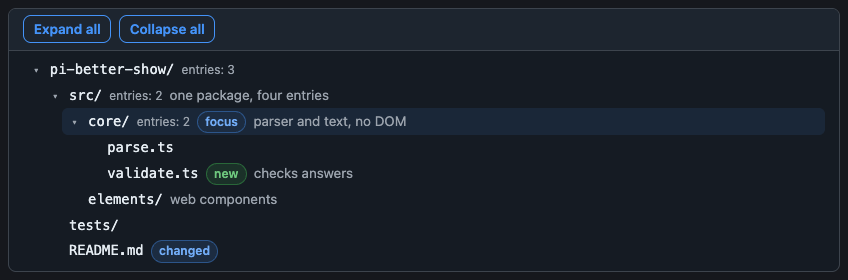
A folder’s name ends with /; tags are new, changed, removed, focus, risk (an unknown tag makes the block invalid); the note after # takes inline Markdown; a … N more line stands for entries a limit cut. It takes no answer.
Limits and fallback
A tree has at most 2,000 nodes and 32 levels (the root is level 1). The block carries a snapshot, so every host draws it; toText writes it in tree style (├──, └──, tags as [new], notes after —), in a fence on Discord.
pbs-tree
Section titled “pbs-tree”pbs-tree prints the tree fence for a folder: npx pbs-tree [dir] or bunx pbs-tree [dir] (plain JavaScript on node built-ins; runs under node and bun). Output is sorted by name in byte order, so a snapshot is reproducible; symlinks are not followed. Flags follow Linux tree where they exist:
| Flag | Meaning |
|---|---|
-L n |
depth |
-d |
folders only |
-a |
include dot files (default skips them; .git is always skipped) |
-I pattern |
leave out names matching the glob (* ? [..]); | separates several; repeatable |
-P pattern |
list only files matching; a folder is kept when it holds a match (even below the -L cut); ignored with -d |
--gitignore |
honour .gitignore files, those of the folder and of the folders above it up to the repository’s top |
--dirsfirst |
folders before files |
--filelimit n |
do not open a folder holding more than n entries; writes … N more in its place |
--prune |
drop folders that hold nothing (what -L hides still counts); ignored with -d |
--changed-since <rev> |
tag new, changed, removed from git diff --name-status <rev> against the working tree; removed files are listed though absent, untracked files are new, a rename is a removed and a new file |
Limits and exit codes
A tree over the block’s limits is refused (exit 1) with the node count; narrow it with -L, -I, --gitignore. Names that would read as a note or tags get a no-break space, and a newline in a name becomes ?. Exit codes: 0, 1 for a failure (not a folder, git failed, too large), 2 for a bad flag.
Other comments
Section titled “Other comments”Every submittable element (pbs-form, pbs-review, pbs-checklist, pbs-options) shows a fixed “Other comments” box above its submit button (above the options in pbs-options; the box is read when the option is picked). Its trimmed text travels in the same answer as the reserved field pi-note (NOTE_FIELD), once, and a blank box sends nothing; the agent reads it as a last line, Other comments: ….
For hosts
validateAnswer accepts pi-note for every interactive kind; a form question or checklist item may not be named pi-note. A host that shows the elements needs to do nothing new: the field is in answer.fields, so validateAnswer and encodeAnswer already pass it through. A host that rebuilds the answer from selected fields must forward pi-note; set answered to the submitted fields so the locked element shows it. The words are otherComments in configure({strings}).
Several values
Section titled “Several values”A block that gathers several values (a form with a multi question, a checklist, a review) sends nothing on a tick, a pick, or typing: choices stay changeable until the reader presses Send, and a required multi question with none chosen is refused at that question. Only options and suggest send on the click.