The browser view
/boss gui, from any pi session, opens the whole net in your browser.
The sb server serves it, one per computer, so it does not depend on which session runs.
Try the demo: it runs with made-up agents and needs nothing installed.
The map
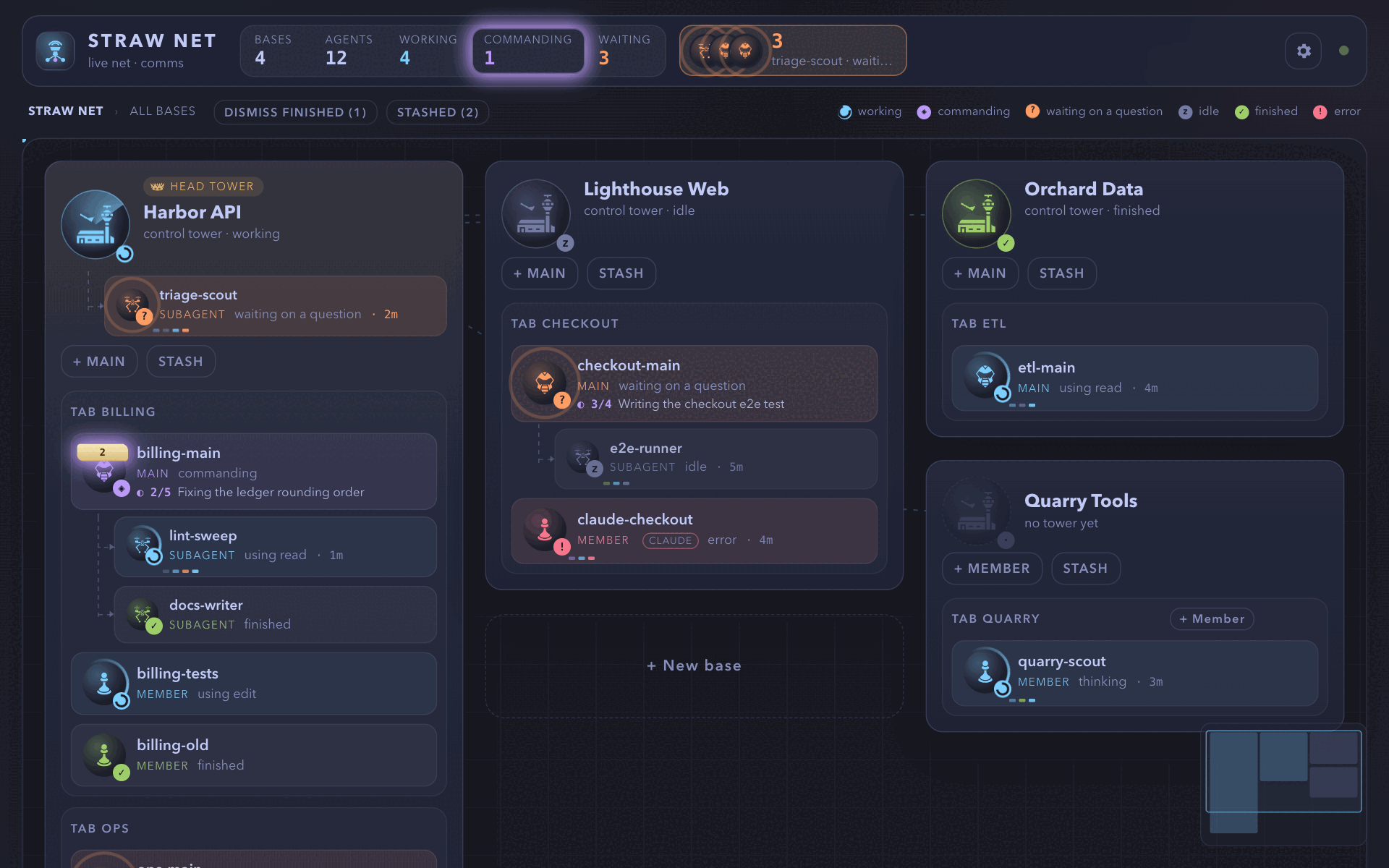
Section titled “The map”Each workspace is a base, with its tower, its tabs as squads, and every agent and subagent as a unit in a live state: working, waiting on you, commanding (idle while a subagent or a monitor of it works), idle, finished, or failed. Click a base to zoom in, and click a unit to read its chat as a live comms log. A unit’s icon and the word beside its name tell its kind; the kinds tables list them. The tower and the head tower keep their own icons, and a unit with no known kind keeps the plain main, member, or subagent icon.
A unit’s comms
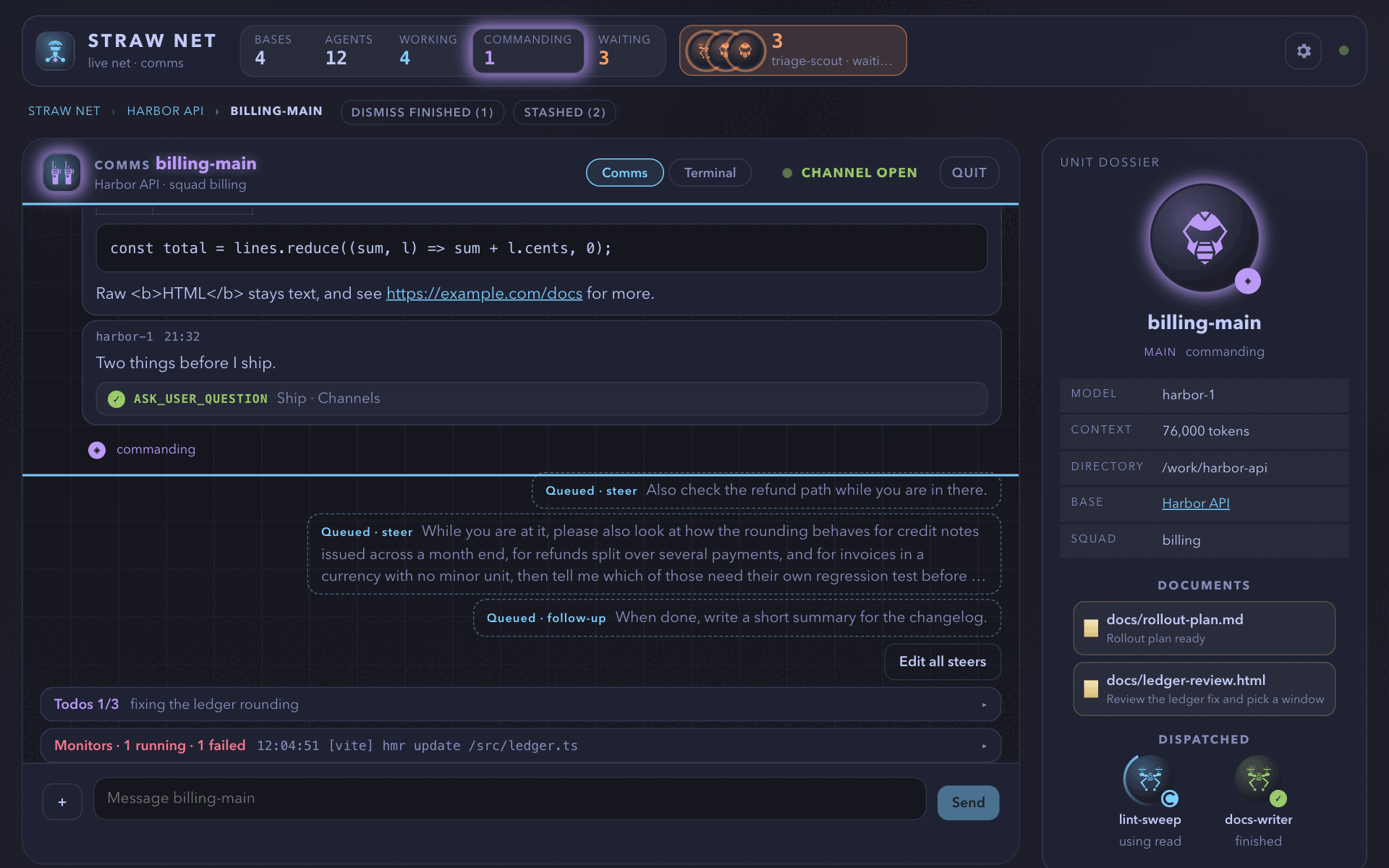
Section titled “A unit’s comms”It shows its chat, the messages queued for its next turn, its todo list, its background monitors, and the documents it shows. Type into the session from its composer; a file pasted, dropped, or picked with + (20 MB at most) is stored in a private temp folder and its path goes into the message. On a desktop, click into a unit’s terminal and it takes your keyboard.
Alerts
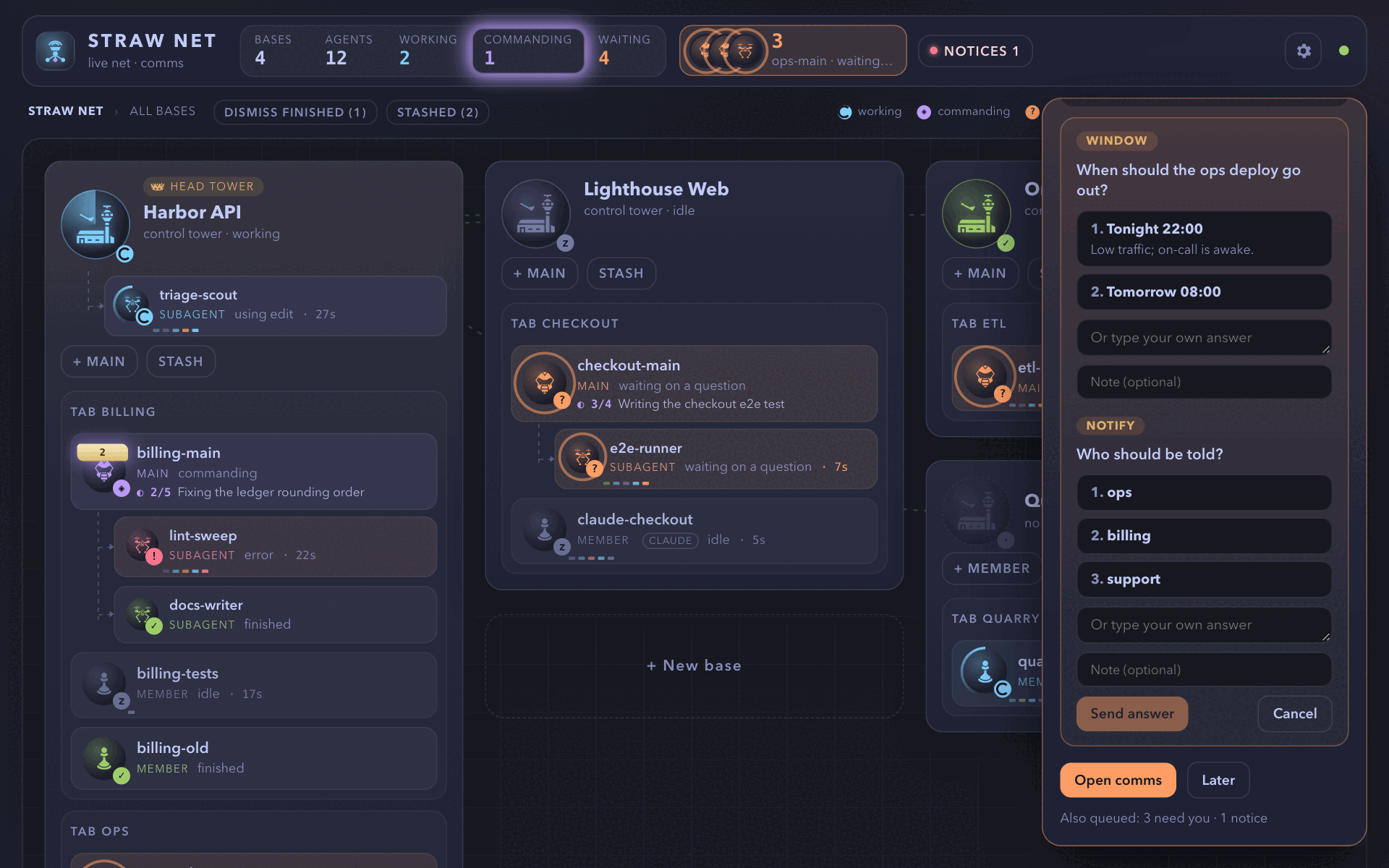
Section titled “Alerts”A unit that waits on you raises an alert, and the alerts queue up.
| Key | Does |
|---|---|
| Space | Opens the next alert |
| F | Enlarges the top dialog |
| Escape | Closes it |
| Arrows | Choose an option |
| Tab | Moves to the question’s own-words box and note, then the next question |
| Enter | Confirms |
The first three do nothing while you type.
The page answers ask_user_question, robot_hand, pi-code’s hook confirmation, and any extension’s select and confirm.
Other dialogs show read-only, and secret_drop always takes its secret in the terminal, never on a page.
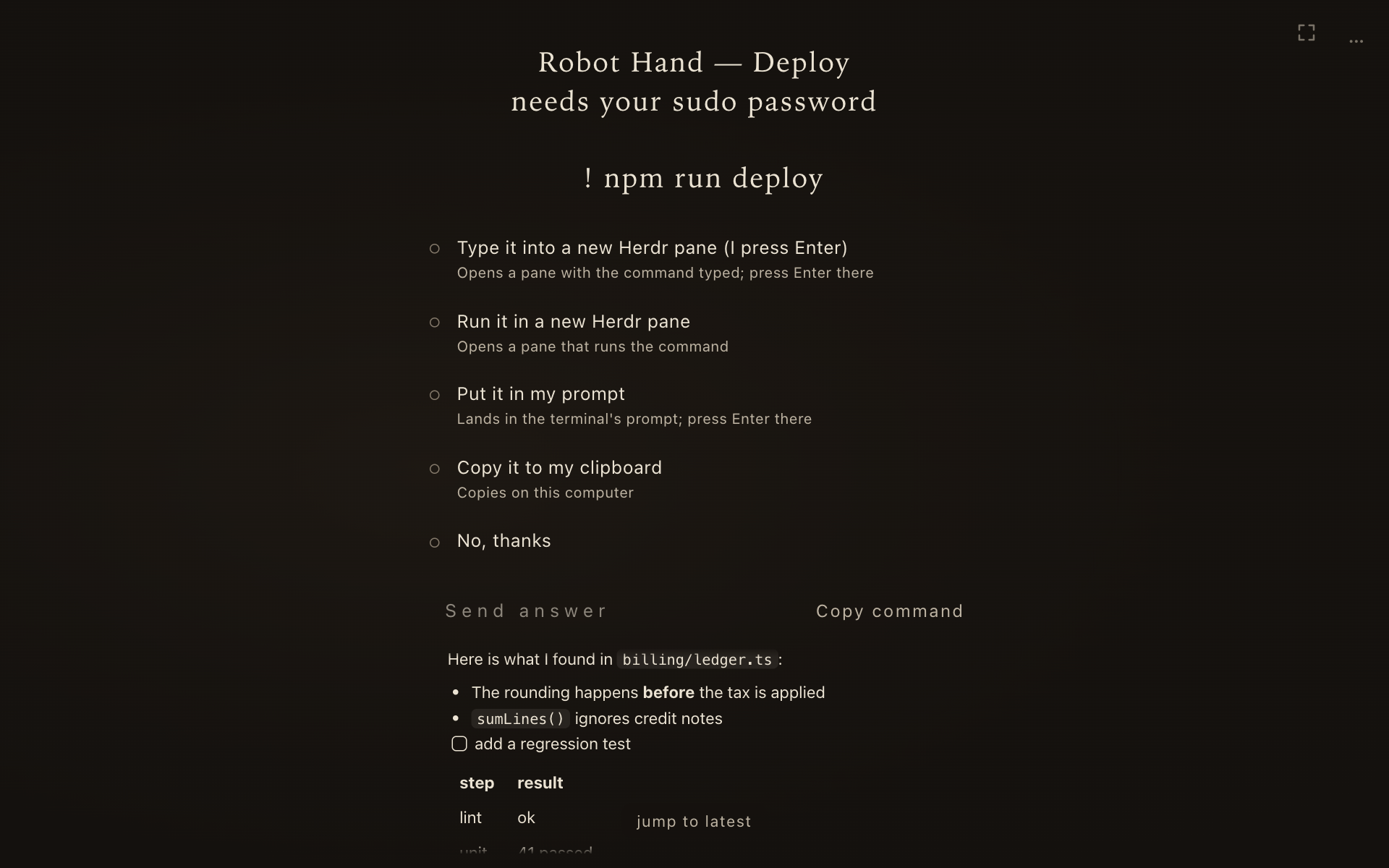
An answer that leaves its next step in a terminal (robot_hand’s prompt and pane choices) shows a small card to finish it, with a link to the full terminal for ssh and vim.
A tower’s wait for you
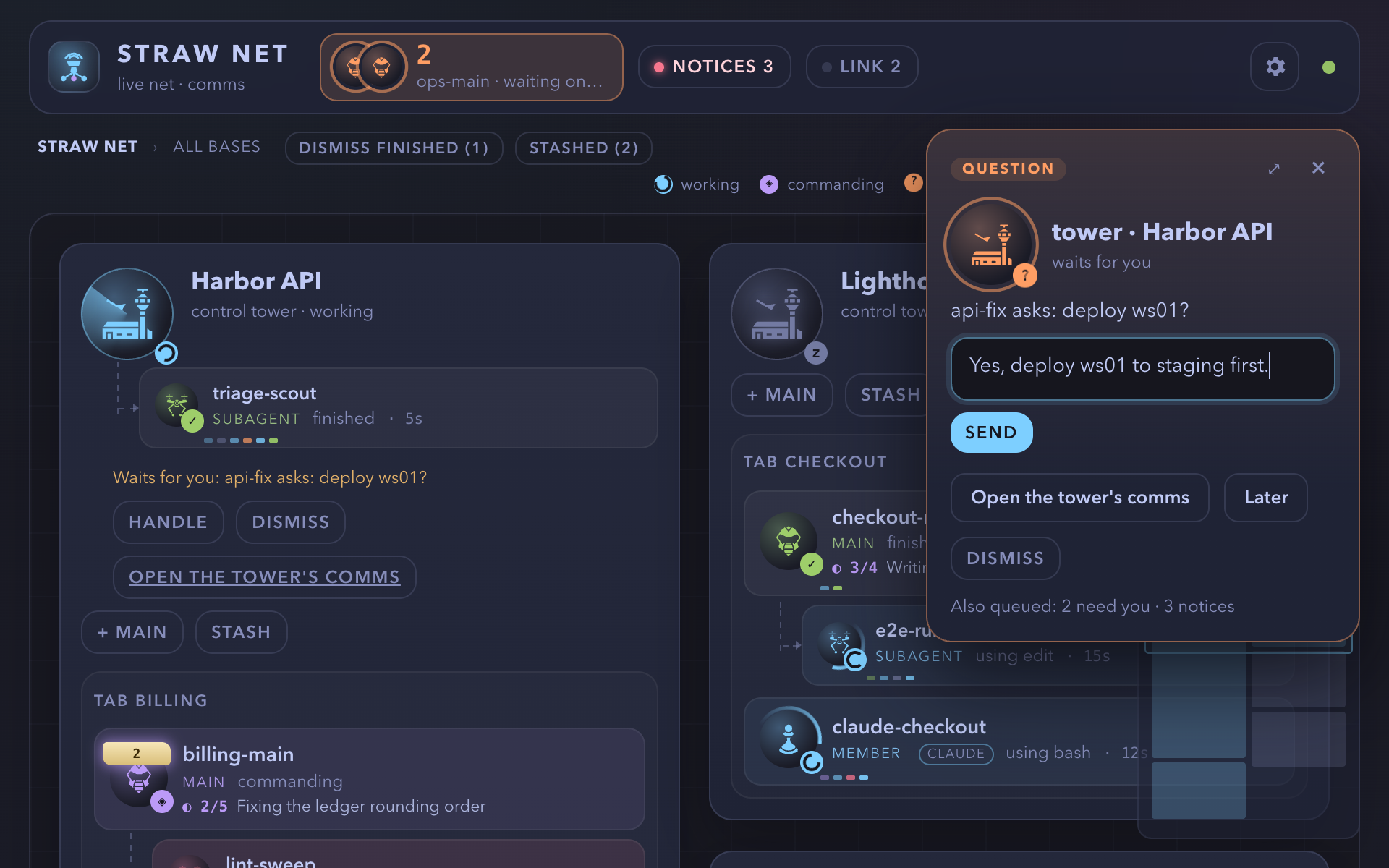
Section titled “A tower’s wait for you”It is a card, not a line of text. It says what happened, what you do, where (a link to open, or a command to copy; sb never runs one), what happens after, and which session raised it. Pick a row, then press Send: a tap alone presses nothing.
| Row | Does |
|---|---|
| The acts that fit: I’m done, a choice’s options, or the steps of a secret entered in the terminal | Pick one, then Send |
| Reply to the tower | Shows the reply box; Enter sends it |
| Skip | Shows who will be told and an optional reason; Send tells the tower and the session |
A card folded into a tower’s row unfolds when you tap it. A card from the head tower says so in its own words (主塔台 in Traditional Chinese, 鴉閣 in Raven).
Notices and reminders
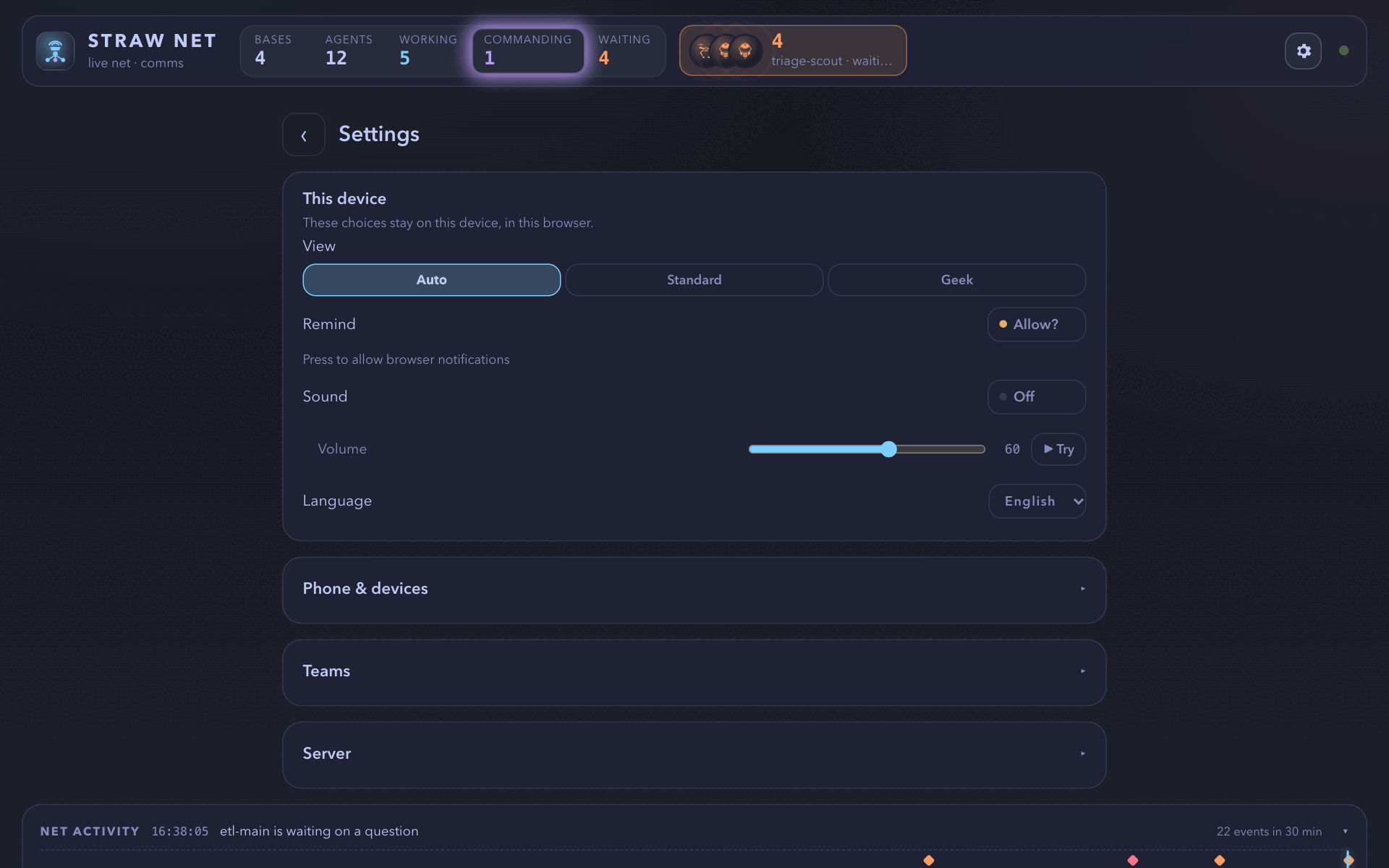
Section titled “Notices and reminders”A unit that fails or finishes, and a monitor that fails or goes quiet, raises a quiet notice under the header’s Notices button; only a unit waiting on you raises the prominent alert. Switches in the settings page (the gear) raise a system notification, and play a sound, when a unit waits on you, fails, or finishes. Finished subagents on the map are dismissed one by one or all at once (Dismiss finished).
The page reads in English or Traditional Chinese, following your browser, with a language menu in the settings.
Opening and closing
Section titled “Opening and closing”- + New base, the last card on the map, opens a base in a folder you pick, with one member and no tower. The folder picker stays inside your home folder and skips hidden folders.
- + Member adds a member to a base without a tower; + Main adds a main, in a tab of its own, to a base with a tower.
- Each opening form takes an optional first message. While the unit opens, a deploy panel shows the real steps (create, start, join the net, deliver the first message) with each step’s clock, and names the step and the reason when one fails.
- A pi that must confirm project trust before it starts asks in the page as an alert too: Trust, Trust this time, or Don’t trust.
- Quit closes a base, a squad, or a unit after a confirmation: each agent quits pi as
/quitwould, then its pane, tab, or workspace closes. Nothing closes if one of them refuses. - Stash puts a whole base away under its label, and the header’s Stashed list opens it again with Pop, every pi resumed from its own session file in its old role. A stash refuses, naming why, while anything a resume would lose is there: a running turn, a queued message, an open dialog, a running monitor, a subagent, or a busy shell.
The same operations are typed commands too: /boss open, /boss close, /boss stash, /boss pop, /boss send, and /boss answer. See Commands.
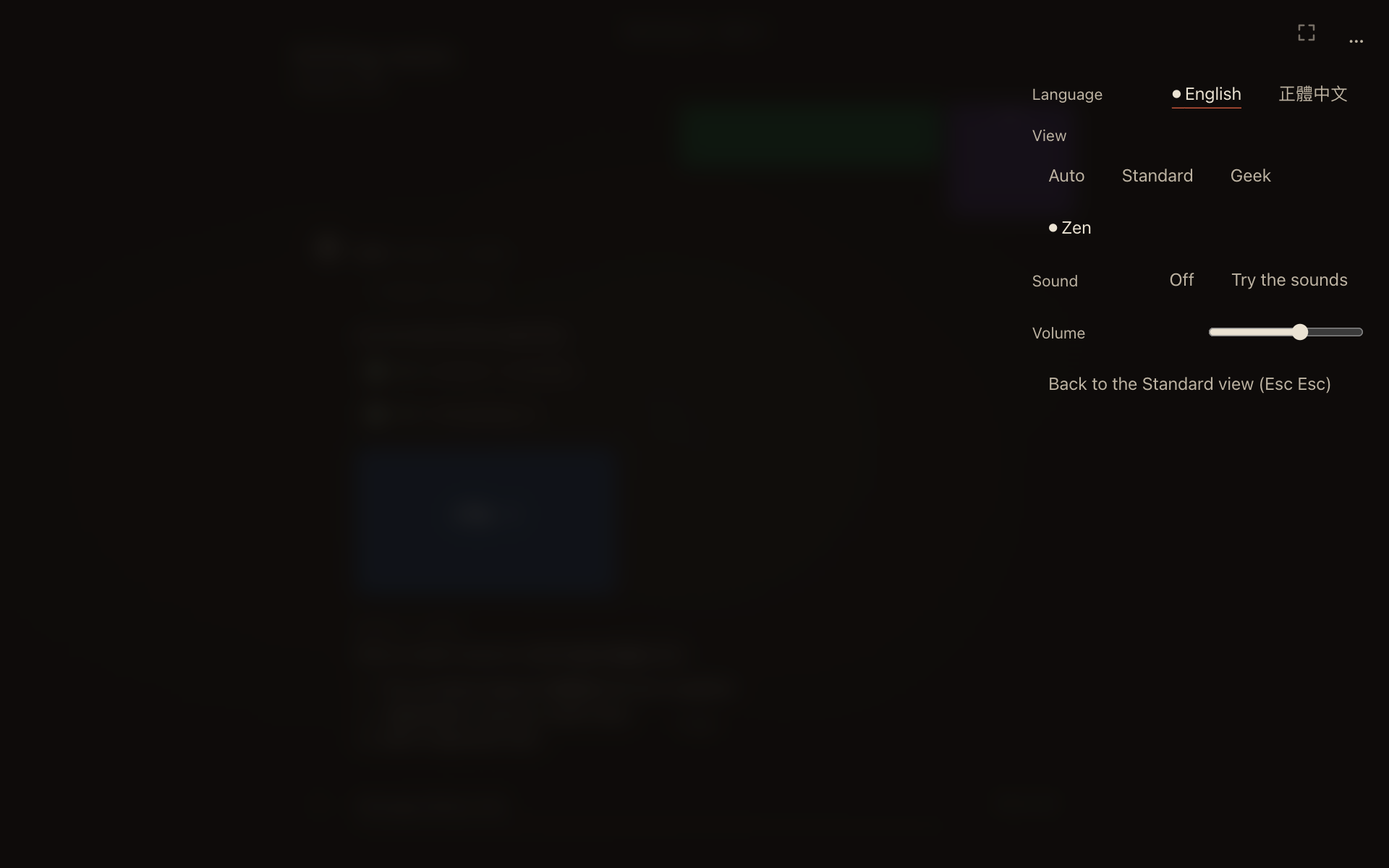
Each device picks its view on the settings page: Auto, Standard, Geek, Zen, or Raven Keep.
/boss gui view <name> sets the default for devices on Auto; no page, paired phones included, can change it.
- Standard is the map above.
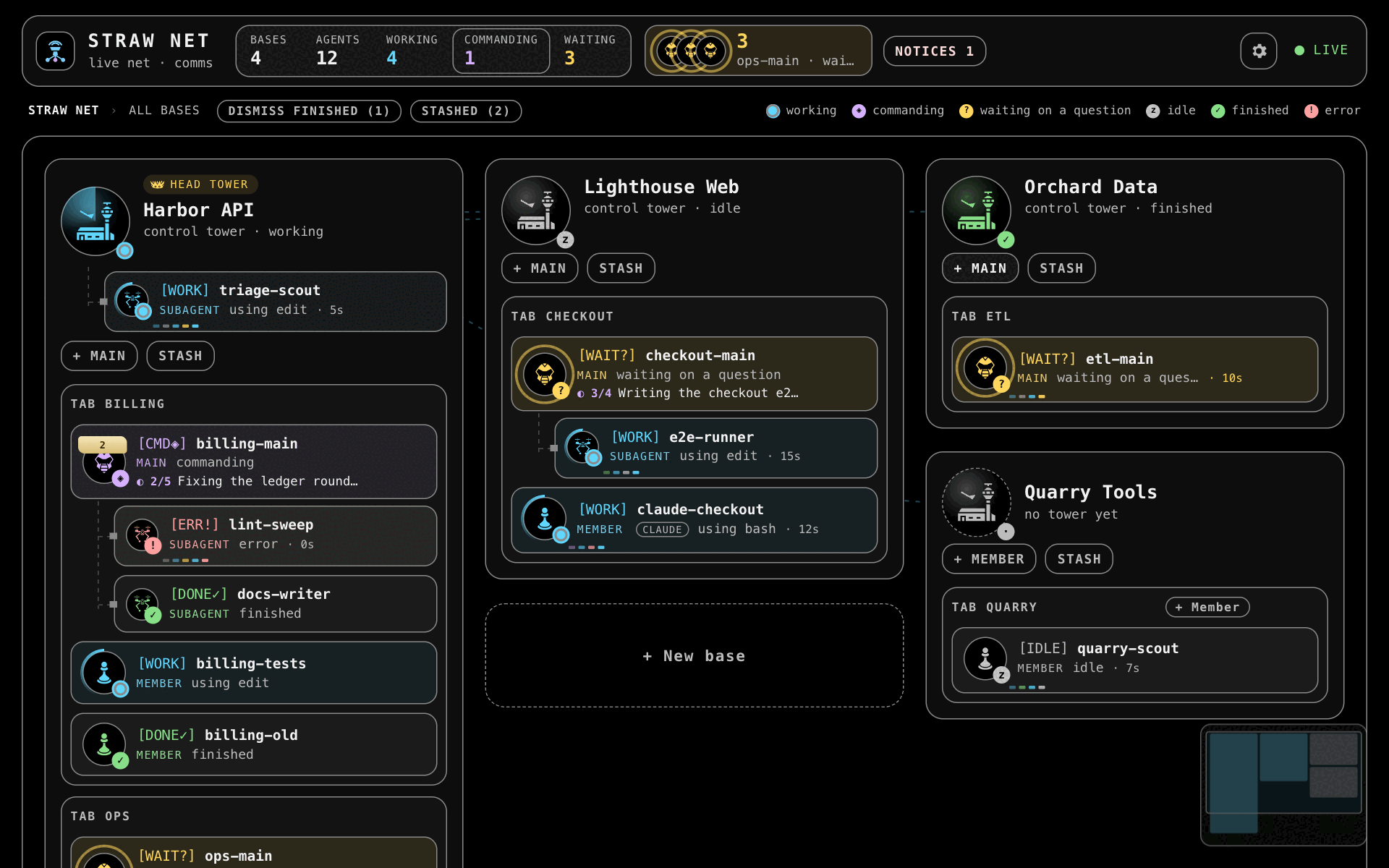
- Geek is a terminal: black, monospace, high contrast, no motion, and each state also as a text tag such as
[WORK],[WAIT?], or[ERR!]. - Zen is for the hours when you are answering the net rather than steering it (below).
- Raven Keep is a gothic skin of Standard: the same layout, its own icons, role names, and sounds. The kinds’ icons are Standard’s in it.
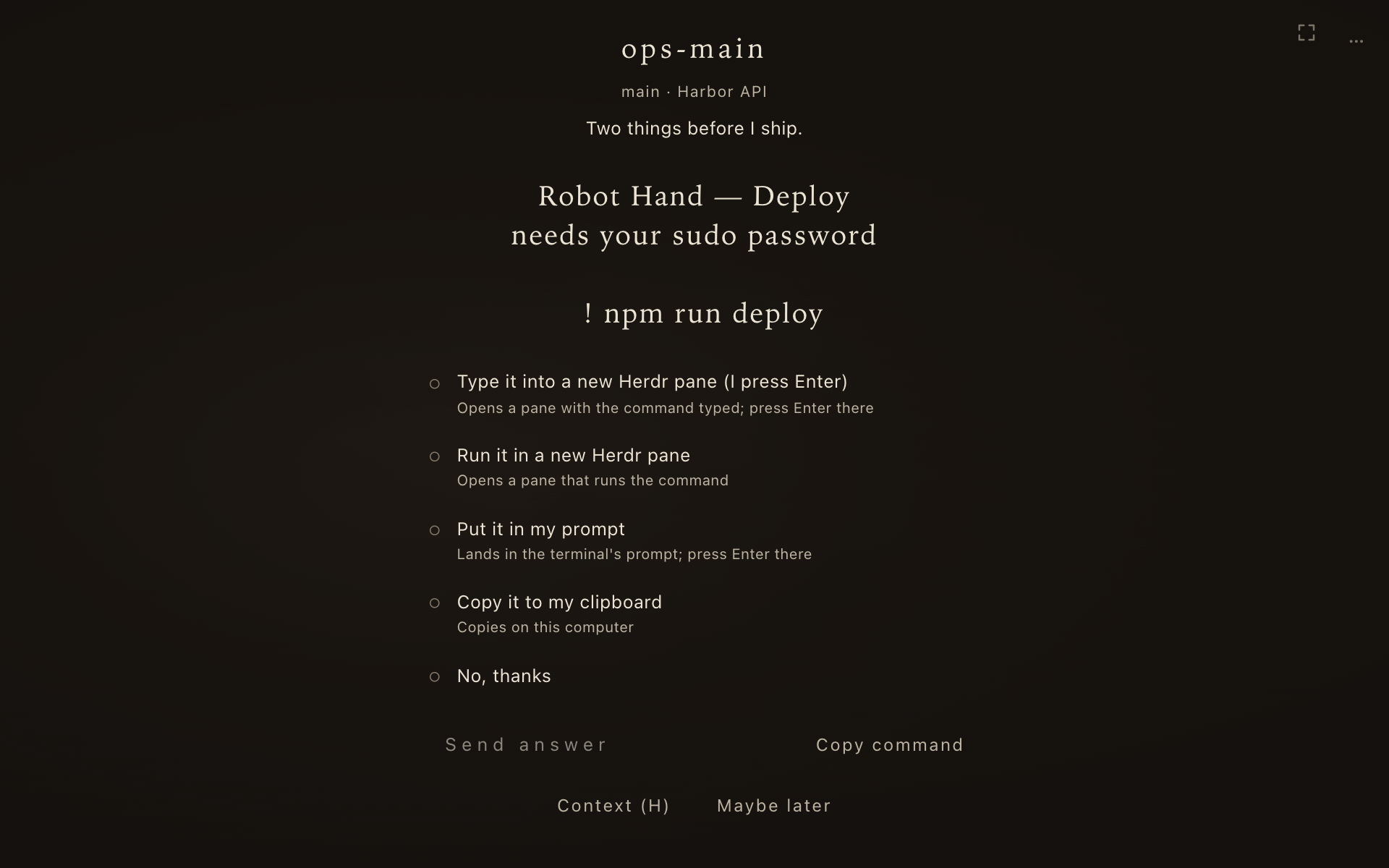
When something waits for you, Zen shows that one thing alone: no map. A card never takes the screen by itself: one quiet line says how many wait, and Enter, or a tap on the line, takes the next, blocking questions first. A card you are on is never replaced or pulled away; if its question is answered elsewhere, it stays and says so.
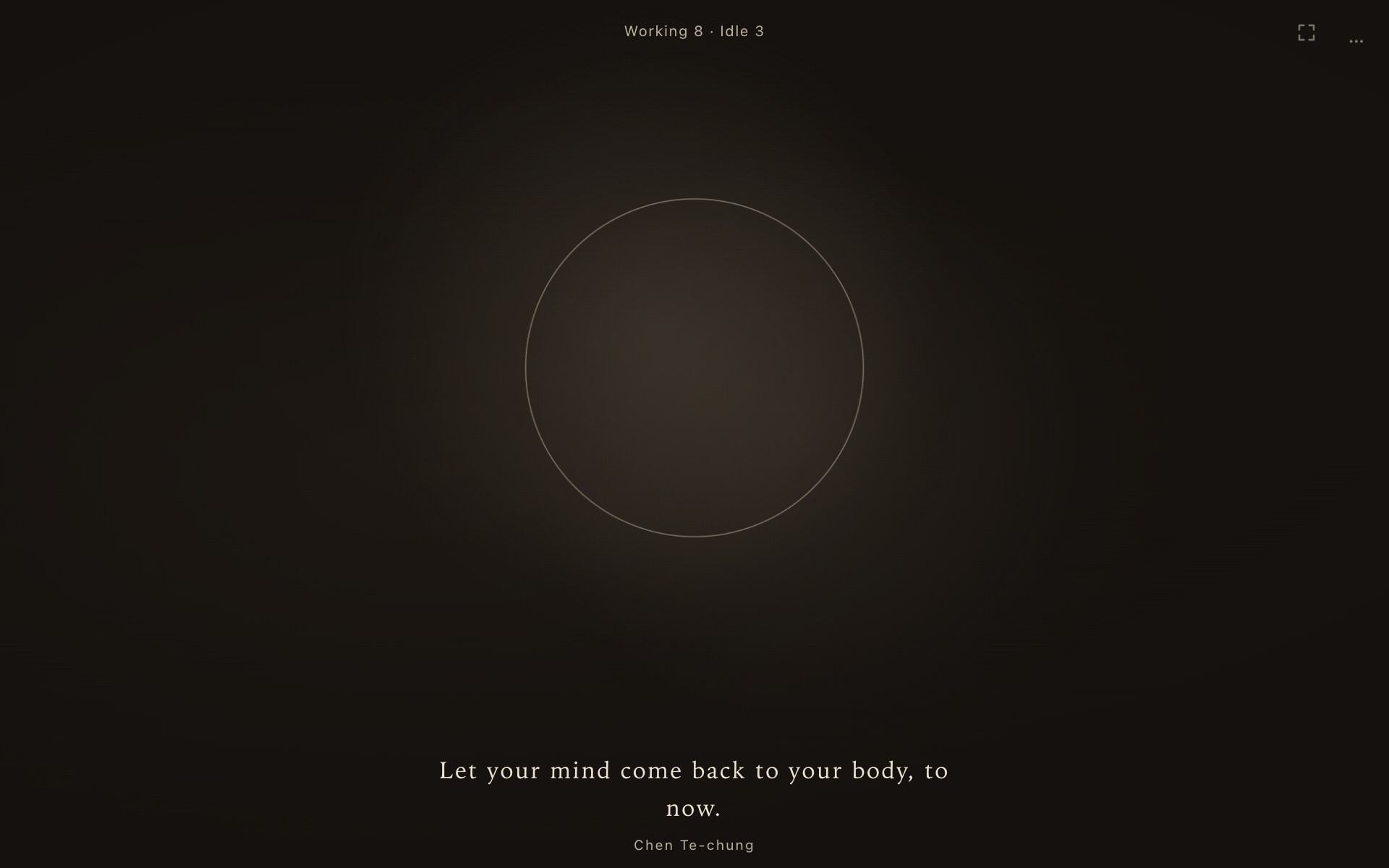
When nothing waits, Zen shows a breathing circle and a short line on mindfulness or stillness. A companion session shows its live log and composer.
| Key | Does |
|---|---|
| Enter | Takes the next card; then presses its main button (Allow, Trust, the first choice, Run), never inside a text field. On a card that waits for you, it picks the first row and moves on to Send. |
| Enter or Space | Ends the breathing pause early |
| Esc | Answers or skips the card; a second Esc within 600 ms goes back to Standard |
[ or ] |
Steps to a session to keep you company |
| H | Opens Context on a card: the unit’s session log inside the card, read-only, while you can still answer |
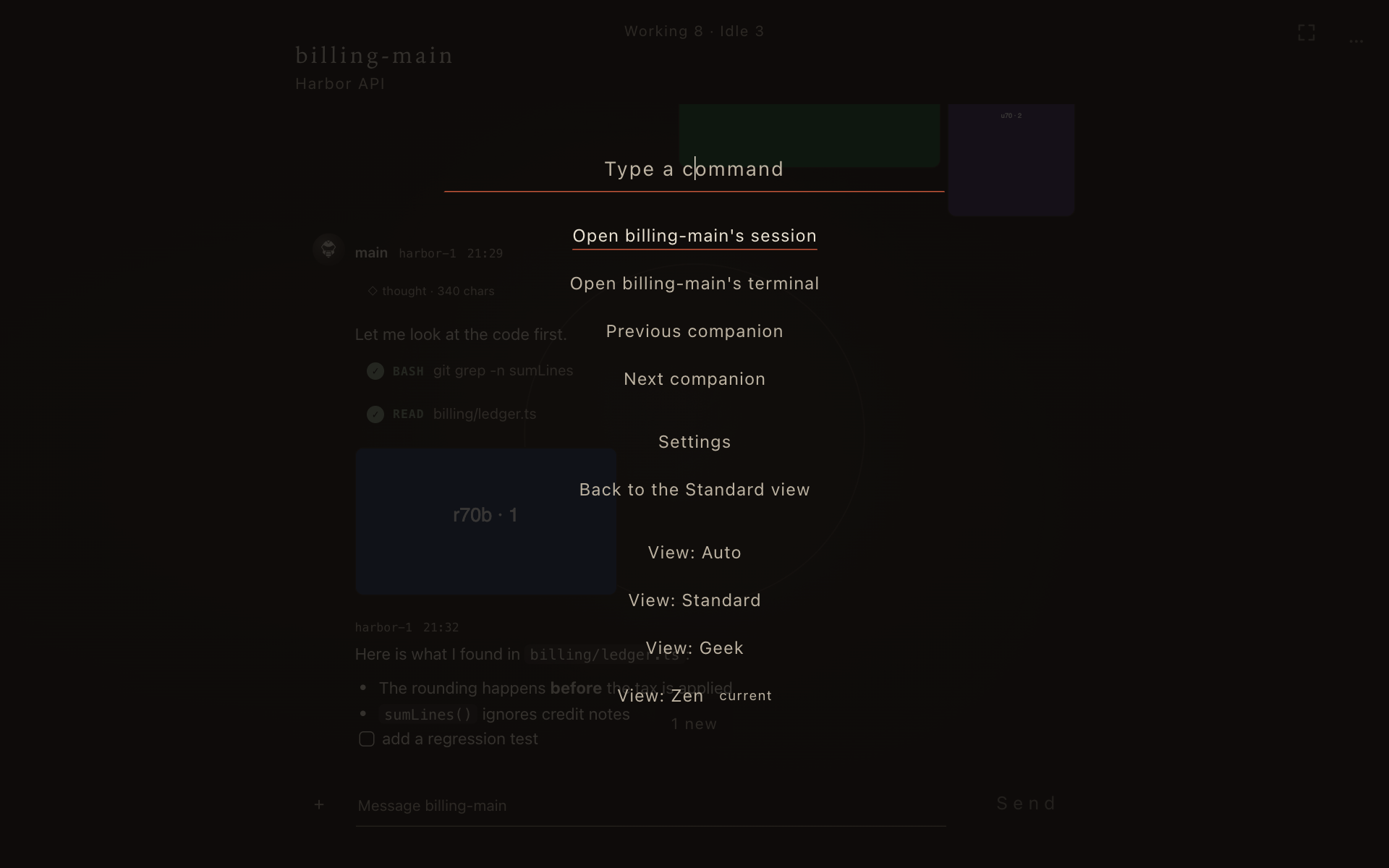
| ⌘K (Ctrl+K off a Mac) | Opens a command palette for the page’s actions |
| Shift+Esc | Inside a terminal, lets the keyboard out |
Cards of their own
Section titled “Cards of their own”Besides questions, Zen shows as cards a tower’s wait on you, a confirm a teammate’s tower asks of this computer, a dialog a Straw Link box forwarded, a phone’s pair request, and a tower’s memory proposal.
Sound and music
Section titled “Sound and music”Sound effects follow the settings page’s Sound effects switch (off by default): a singing bowl when an item takes the screen, a wooden fish when one is done.
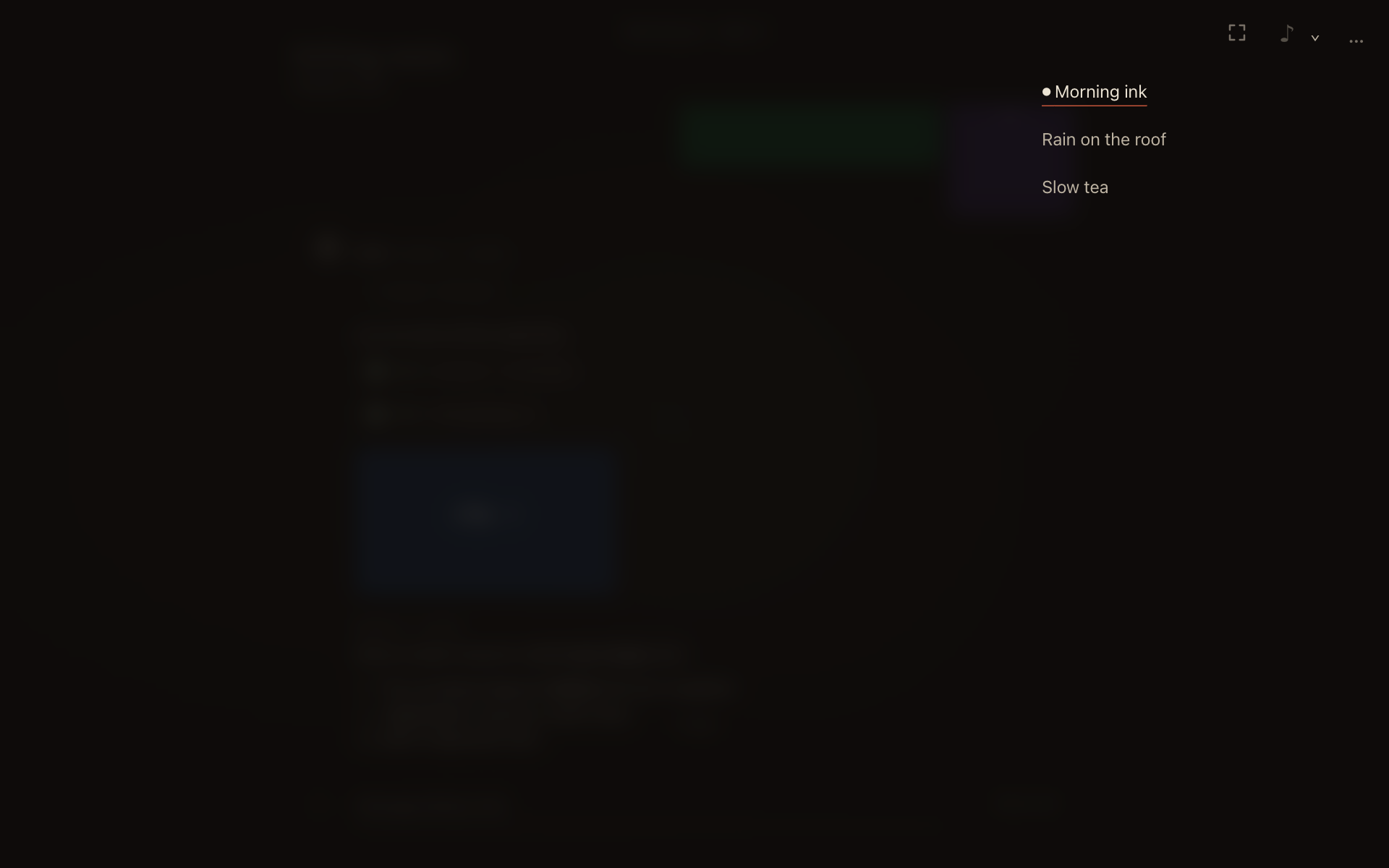
Put audio files in ~/.pi/agent/straw-boss-music/ and Zen shows a ♪ in the corner that plays them on a loop, while the Background sound switch is on.
The head tower lives under Zen’s breathing circle; see The head tower.
On a phone
Section titled “On a phone”The page works on a phone, over your tailnet or on the same Wi-Fi. See Phone and remote access.
Every rule of the page is in Browser view.