Quick start
- Open pi in a Herdr tab and give it work. It joins the net by itself. When its work grows, it promotes itself to the tab’s main agent, which also opens the workspace’s tower. Type
/bossto take over as the tab’s main yourself. - Type
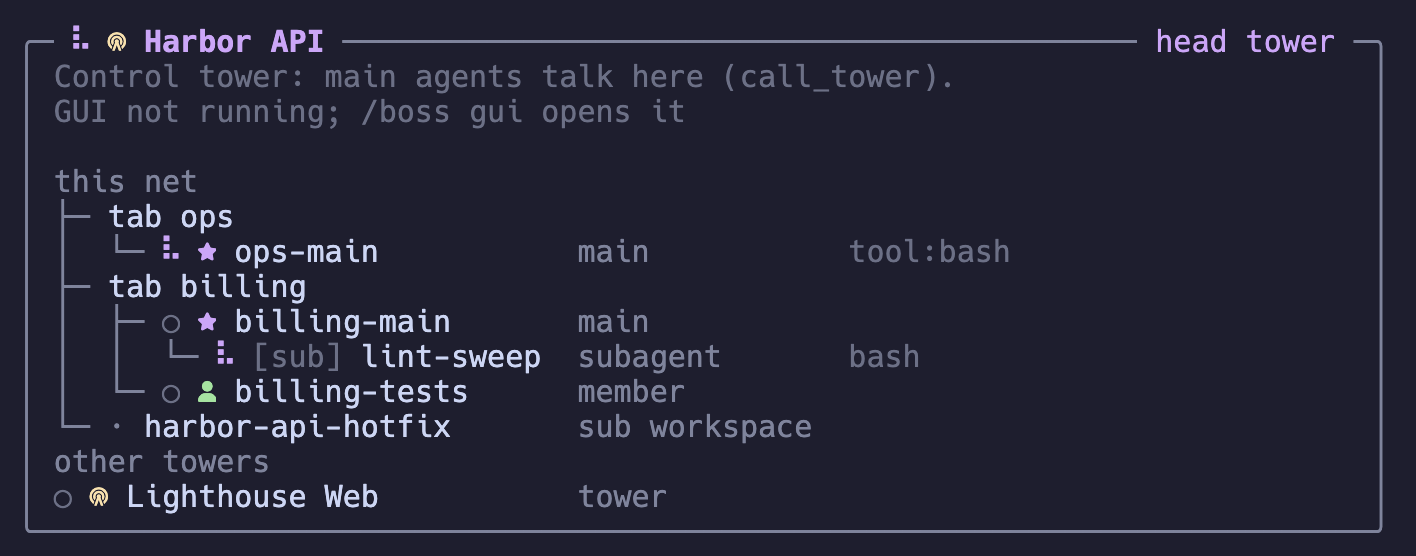
/boss statusto see each tab’s main agent and the towers. - Type
/boss towerto open the workspace’s tower and watch its dashboard. It also opens by itself when agents start to collide. You do not need to talk to it. - Type
/boss guifrom any session to see the whole net in your browser.
The tower runs on its own
Section titled “The tower runs on its own”The tower service of the sb server is on by default: it wakes for events and keeps a small memory, so you do not have to talk to it.
/boss tower <prompt> writes to it, /boss memory shows its memory, and towerModel in the configuration gives it a lighter model.
How a run works, and what a handoff note is, is in How a tower runs.
- Concepts: who is a member, a main, a tower, and the head tower, and every kind of agent and run.
- The browser view: the map, comms, alerts, and the Zen view.
- Commands: every tool and
/bosscommand.